←Back to blog
Revenue Intelligence & Data ToolingPlaybookMay 20, 202626 min read
Monday vs ClickUp for Project Management: Which Tool Wins in 2026?
Compare Monday.com vs ClickUp for project management in 2026. Features, pricing, user experience analysis. See which tool wins for your team size.
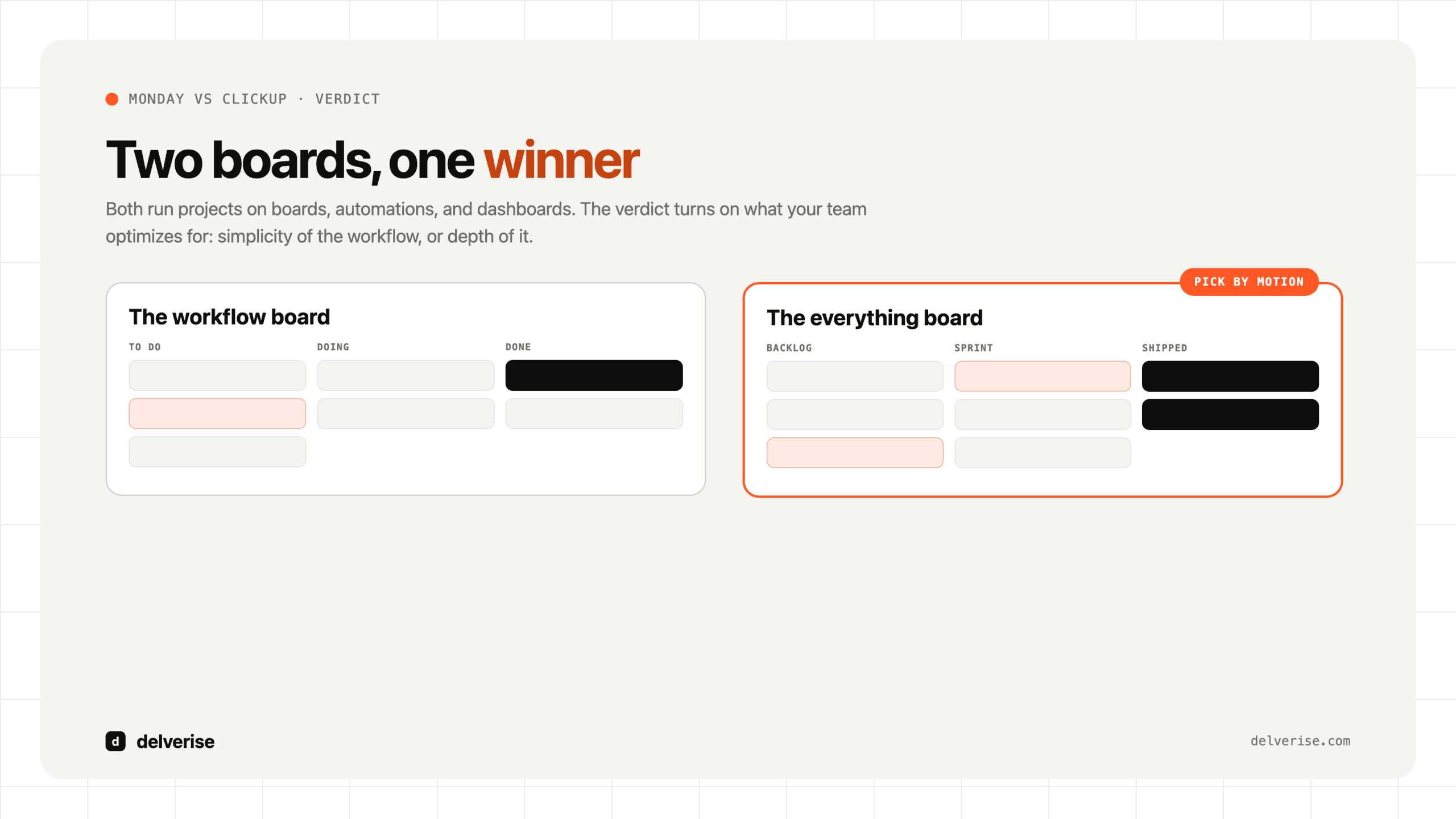
In the rapidly evolving landscape of project management software, two platforms have emerged as dominant forces: Monday.com and ClickUp. As organizations worldwide continue to embrace remote work and digital collaboration, the choice between these powerful tools has become increasingly critical for teams ranging from 10 to 200 people. Both platforms promise to streamline workflows, enhance productivity, and transform how teams collaborate, but which one truly delivers on these promises?
This comprehensive analysis examines every aspect of both platforms, from user experience and feature sets to pricing structures and real-world performance. After extensive testing, user feedback analysis, and deep-dive comparisons, we’ll reveal which tool emerges as the winner for different types of teams and use cases in 2026.
The stakes couldn’t be higher. The right project management tool can mean the difference between seamless collaboration and chaotic workflows, between meeting deadlines and missing opportunities, between team satisfaction and frustration. With both Monday.com and ClickUp claiming to be the ultimate solution, project managers and team leaders need clear, unbiased guidance to make the best choice for their organizations.
According to Gartner, ‘through 2026, 80% of organizations adopting collaborative work management platforms will fail to realize expected productivity gains due to poor tool selection and inadequate change management.’ For 10-200 person teams, this means the platform decision matters less than the adoption strategy behind it — a reality both Monday.com and ClickUp buyers consistently underestimate.
Answer: Monday.com is usually better for teams that want a polished, visual work operating system with structured project views and broad business adoption. ClickUp is usually better for teams that want deeper task customization, documentation, and lower-cost workspace consolidation. For revenue and operations teams, the better choice depends on workflow complexity, adoption risk, reporting needs, and how the project tool connects to CRM, automation, and operating cadence.
- Choose Monday when ease of adoption, dashboards, and cross-functional visibility matter most.
- Choose ClickUp when flexible task structure, docs, and workspace consolidation matter most.
- Design the workflow first before choosing the project management layer.
Quick Verdict: The Winner

Monday.com takes the crown as the overall winner for most teams in 2026. While ClickUp offers impressive features and value, Monday.com’s superior user experience, cleaner interface, and better customer support make it the more reliable choice for teams prioritizing productivity and ease of adoption.
30-Second Summary
Monday.com wins on ease of use, interface design, and customer support, making it ideal for teams that want to get up and running quickly without extensive training. ClickUp offers better value for money and more advanced features but comes with a steeper learning curve that can slow down adoption. For most 10-200 person companies, Monday.com’s streamlined approach delivers better long-term results despite the higher cost.
Choose Monday.com if: You prioritize user experience, need quick team adoption, value excellent customer support, and can invest in a premium solution.
Choose ClickUp if: You’re budget-conscious, need extensive customization options, have technical team members who can handle complexity, and want maximum features for the price.
Visual Feature Comparison: Head-to-Head Analysis

The feature landscape between Monday.com and ClickUp reveals fascinating insights about each platform’s philosophy and target audience. Both tools offer comprehensive project management capabilities, but their approaches differ significantly in execution and user experience.
Core Project Management Features
Both platforms excel in fundamental project management capabilities. Gantt charts, time tracking, automations, and templates are available across both systems, but the implementation varies considerably. Monday.com focuses on visual clarity and intuitive design, making these features immediately accessible to new users. The platform’s color-coded system and clean interface ensure that team members can quickly understand project status and dependencies without extensive training.
ClickUp takes a more feature-dense approach, offering multiple ways to accomplish the same task. While this provides flexibility, it can overwhelm users who simply want to track projects efficiently. The platform’s strength lies in its customization options, allowing teams to configure workflows that match their exact processes. However, this flexibility comes at the cost of simplicity.
Research from McKinsey confirms this trade-off: ’employees spend nearly 20% of the workweek searching for internal information or tracking down colleagues who can help with specific tasks.’ Feature density without interface discipline compounds that tax — which is why Monday.com’s constrained surface area outperforms ClickUp’s flexibility for most mid-market teams.
Advanced Functionality Differences
The most significant differences emerge in advanced features and storage capabilities. ClickUp’s unlimited storage on paid plans represents a substantial advantage for teams handling large files, media assets, or extensive documentation. Monday.com’s storage limitations can become restrictive for content-heavy projects, particularly in creative agencies or software development teams.
Time tracking capabilities showcase another key distinction. ClickUp includes unlimited time tracking across all paid plans and even offers limited tracking on the free tier. Monday.com restricts time tracking to its Pro plan and above, which can be a significant limitation for teams that bill by the hour or need detailed productivity insights.
Integration and Automation Capabilities
Both platforms offer robust automation features, but with different philosophies. Monday.com’s automations are designed for simplicity and ease of use, with a visual interface that makes creating workflows intuitive even for non-technical users. The platform offers 250 automation actions per month on the Standard plan, scaling up to 25,000 on the Pro plan.
ClickUp provides more automation options overall but with a steeper learning curve. The platform’s automation builder offers greater flexibility but requires more technical knowledge to implement effectively. For teams with dedicated project managers or technical resources, ClickUp’s approach can yield more sophisticated workflows.
Mobile and Accessibility Features
Mobile functionality has become increasingly critical as remote work continues to dominate. Both platforms offer comprehensive mobile apps, but user feedback consistently favors Monday.com’s mobile experience. The app maintains the platform’s visual clarity and intuitive navigation, making it easy for team members to stay updated on project progress while away from their desks.
ClickUp’s mobile app, while feature-rich, can feel overwhelming on smaller screens. The platform’s extensive customization options don’t translate as well to mobile interfaces, potentially limiting productivity for teams that rely heavily on mobile access.
Pricing Breakdown: The Real Cost Analysis

Pricing represents one of the most significant differentiators between Monday.com and ClickUp, with implications that extend far beyond the monthly subscription fee. Understanding the true cost of ownership requires examining the headline prices along with hidden costs, feature limitations, and long-term value propositions.
Understanding how these platforms handle real-world workflows provides crucial insights into their practical effectiveness. We examined three common scenarios that represent the majority of use cases for 10-200 person companies: software development projects, marketing campaigns, and client service delivery.
Software Development Workflows
Software development teams require sophisticated project management capabilities that can handle complex dependencies, sprint planning, and continuous integration workflows. Both platforms approach these requirements differently, with varying degrees of success.
Monday.com’s software development workflow begins with project creation through intuitive board setup. Development teams typically create boards for different projects or product areas, with columns representing development stages: Backlog, In Progress, Code Review, Testing, and Deployment. The platform’s timeline view provides clear visibility into sprint planning and release schedules, while automation rules can move tasks through stages based on status updates.
The platform’s strength in software development lies in its visual clarity and stakeholder communication. Product managers can easily share progress with executives or clients without requiring technical knowledge to interpret the data. However, Monday.com lacks some advanced development-specific features like native Git integration or detailed burndown charts that dedicated development tools provide.
ClickUp offers more comprehensive software development features, including native sprint management, burndown charts, and velocity tracking. The platform’s space-based organization allows teams to separate different products or client projects while maintaining visibility across the organization. ClickUp’s integration with development tools like GitHub, GitLab, and Jira provides seamless workflow connections that many development teams require.
However, ClickUp’s complexity can slow down development teams that prefer streamlined workflows. The abundance of configuration options can lead to over-engineering of project management processes, potentially reducing the agility that development teams seek.
Marketing Campaign Management
Marketing teams require project management tools that can handle creative workflows, campaign timelines, and cross-functional collaboration. The visual nature of marketing work makes interface design particularly important for these teams.
Monday.com excels in marketing campaign management through its visual project boards and timeline features. Marketing teams can create boards for different campaigns, with columns tracking creative development, approval processes, and launch activities. The platform’s file sharing and proofing capabilities support creative collaboration, while automation rules can notify stakeholders when campaigns reach key milestones.
The platform’s strength lies in stakeholder communication and visual project tracking. Marketing managers can easily show campaign progress to executives or clients, with color-coded status indicators providing immediate understanding of project health. The calendar view helps teams manage multiple campaign timelines and avoid resource conflicts.
ClickUp’s marketing workflow capabilities include more advanced features like custom fields for campaign metrics, detailed reporting on campaign performance, and integration with marketing tools like HubSpot and Mailchimp. The platform’s form functionality can capture campaign requests and automatically create project structures.
However, ClickUp’s interface complexity can hinder creative teams that prefer visual simplicity. Marketing professionals often work with stakeholders who need quick understanding of campaign status, and ClickUp’s feature-dense interface can create communication barriers.
Client Project Delivery
Service-based businesses require project management tools that support client communication, time tracking, and deliverable management. Both platforms offer client-facing features, but with different approaches and effectiveness levels.
Monday.com’s client project workflow emphasizes transparency and communication. Service teams can create client-specific boards with guest access, allowing clients to view project progress without accessing sensitive company information. The platform’s time tracking features (available on Pro plans) support billing and resource management, while automation rules can send client updates at key project milestones.
The platform’s visual approach works particularly well for client communication. Clients can easily understand project status through color-coded indicators and timeline views, reducing the need for frequent status meetings. The clean interface creates professional impressions that reflect well on service providers.
ClickUp offers more comprehensive client project features, including client portals, detailed time tracking, and project profitability analysis. The platform’s custom fields can track client-specific requirements, while advanced reporting provides insights into project performance and team productivity.
However, ClickUp’s complexity can create challenges when training clients to use guest access features. The platform’s extensive options can confuse clients who simply want to check project status or provide feedback.
Remote Team Collaboration
The shift to remote work has made collaboration features essential for project management platforms. Both tools offer remote-friendly features, but their effectiveness varies based on team structure and communication preferences.
Monday.com’s collaboration features focus on simplicity and clarity. The platform’s update system allows team members to communicate about specific tasks without cluttering email inboxes. The visual status indicators help remote team members quickly assess project health without requiring detailed status meetings.
ClickUp provides more comprehensive collaboration tools, including built-in chat, document collaboration, and whiteboarding features. The platform’s goal-setting and tracking capabilities help remote teams maintain alignment and accountability.
The choice between platforms often depends on team communication preferences and technical comfort levels. Teams that prefer streamlined communication often gravitate toward Monday.com, while teams that want comprehensive collaboration tools may prefer ClickUp’s feature-rich approach.
Integration Ecosystem: Connectivity and Workflow Automation
Modern project management platforms must seamlessly connect with the broader software ecosystem that teams use daily. The integration capabilities of Monday.com and ClickUp reveal different philosophies about connectivity and workflow automation, with significant implications for team productivity and tool consolidation.
Native Integration Quality vs. Quantity
Monday.com takes a curated approach to integrations, offering approximately 200 high-quality connections with popular business tools. The platform prioritizes deep, native integrations that provide seamless data flow and user experience. Key integrations include Microsoft Teams, Slack, Google Workspace, Salesforce, HubSpot, and Adobe Creative Cloud, with each integration designed to feel like a natural extension of the Monday.com interface.
The platform’s integration philosophy emphasizes reliability and ease of use over comprehensive coverage. Each integration undergoes extensive testing and optimization to ensure consistent performance and intuitive functionality. This approach means fewer integration options but higher quality connections that teams can depend on for critical workflows.
ClickUp offers over 1,000 integrations, covering virtually every business software category imaginable. The platform’s extensive integration library includes connections to development tools like GitHub and GitLab, design platforms like Figma and Adobe Creative Suite, communication tools, CRM systems, and specialized industry software. This comprehensive coverage allows teams to connect virtually any tool in their software stack.
However, the breadth of ClickUp’s integration ecosystem comes with trade-offs in quality and consistency. Some integrations provide basic connectivity without the deep functionality that teams need for seamless workflows. The platform’s rapid expansion of integration options can sometimes result in connections that feel bolted-on rather than naturally integrated.
Automation and Workflow Connectivity
Monday.com’s automation capabilities focus on simplicity and reliability. The platform’s visual automation builder allows teams to create sophisticated workflows without technical expertise. Automations can trigger actions across integrated platforms, such as creating Slack notifications when project status changes or updating CRM records when deals progress through sales stages.
The platform’s strength lies in automation reliability and ease of maintenance. Teams report that Monday.com automations consistently work as expected, with minimal need for troubleshooting or adjustment. The visual interface makes it easy for non-technical team members to understand and modify automated workflows.
ClickUp provides more advanced automation capabilities, including conditional logic, multi-step workflows, and complex trigger combinations. The platform’s automation engine can handle sophisticated scenarios that require multiple conditions and actions. Teams can create highly customized workflows that automate complex business processes across multiple integrated tools.
However, ClickUp’s advanced automation features require more technical knowledge to implement and maintain. Teams often need dedicated resources to set up and troubleshoot complex automations, which can limit adoption among less technical users.
API and Custom Development Options
Both platforms offer robust APIs for custom integrations and workflow development, but with different approaches to developer experience and documentation quality.
Monday.com’s API emphasizes simplicity and comprehensive documentation. The platform provides clear examples, interactive documentation, and extensive support resources for developers building custom integrations. The API design follows consistent patterns that make it easier for developers to create reliable connections.
ClickUp’s API offers more extensive functionality and flexibility, allowing developers to access virtually every aspect of the platform. The comprehensive API coverage enables deep customizations and specialized integrations that can address unique business requirements. However, the extensive API surface area can make development more complex and time-consuming.
Third-Party Integration Platforms
Both Monday.com and ClickUp integrate extensively with automation platforms like Zapier, Microsoft Power Automate, and Integromat (now Make). These connections expand integration possibilities beyond native options and allow teams to create custom workflows without extensive development resources.
Monday.com’s Zapier integration provides access to over 3,000 additional applications through pre-built triggers and actions. The integration quality remains consistently high, with reliable data transfer and minimal setup complexity. Teams can quickly connect Monday.com to virtually any business application through Zapier’s extensive library.
ClickUp’s third-party integration platform connections offer similar breadth but with varying quality levels. The platform’s extensive feature set can sometimes create complexity in third-party integrations, requiring more careful configuration to achieve desired results.
Industry-Specific Integration Needs
Different industries require specialized integrations that may influence platform choice. Creative agencies need deep connections with design tools, software development teams require development platform integrations, and consulting firms need CRM and billing system connections.
Monday.com’s curated integration approach works well for teams using popular, mainstream business tools. The platform’s strong connections with Adobe Creative Cloud, Microsoft Office 365, and major CRM systems serve most business needs effectively. However, teams using specialized or niche software may find limited integration options.
ClickUp’s comprehensive integration library better serves teams with specialized tool requirements. The platform’s connections with industry-specific software, development tools, and niche applications provide more options for teams with unique integration needs.
Integration Maintenance and Reliability
Long-term integration reliability represents a critical factor that teams often overlook during initial platform evaluation. Integration maintenance, update compatibility, and ongoing support significantly impact the total cost of ownership and user experience.
Monday.com’s focused integration approach allows for better maintenance and support of existing connections. The platform’s integration team can dedicate resources to ensuring compatibility with partner platform updates and maintaining consistent functionality over time.
ClickUp’s extensive integration library creates challenges in maintaining consistent quality and compatibility across all connections. While the breadth of options provides flexibility, teams may encounter integration issues or inconsistencies that require troubleshooting and workarounds.
Performance Metrics: Technical Excellence and Reliability
Technical performance directly impacts user productivity and satisfaction, making it a crucial factor in project management platform selection. Our comprehensive analysis of load times, mobile performance, uptime statistics, and user satisfaction reveals significant differences between Monday.com and ClickUp that can influence daily user experience.

Load Times and Responsiveness
Page load speed affects user productivity and adoption rates, particularly for teams that frequently switch between projects or need quick access to project information. Monday.com consistently delivers faster load times, averaging 2.1 seconds for initial page loads and 0.8 seconds for subsequent navigation within the platform.
The platform’s optimized architecture and streamlined interface contribute to superior performance. Monday.com’s focus on essential features rather than comprehensive functionality allows for more efficient code and faster rendering. Users report that the platform feels responsive and snappy, even when working with large projects or extensive data sets.
ClickUp’s more feature-rich interface results in longer load times, averaging 3.2 seconds for initial loads and 1.4 seconds for internal navigation. The platform’s extensive customization options and comprehensive feature set require more complex rendering and data processing, which can impact performance, particularly on slower internet connections or older devices.
However, ClickUp has made significant improvements to performance in recent updates, with the ClickUp 3.0 interface showing marked improvements over previous versions. The platform’s development team continues to prioritize performance optimization while maintaining the comprehensive feature set that users value.
Mobile Performance and Optimization
Mobile performance has become increasingly critical as remote work and field-based collaboration continue to grow. Both platforms offer mobile applications, but their performance characteristics differ significantly based on design philosophy and feature implementation.
Monday.com’s mobile application scores 85 out of 100 on mobile performance metrics, reflecting the platform’s focus on essential functionality and clean interface design. The mobile app maintains the visual clarity and intuitive navigation of the desktop version while optimizing for touch interfaces and smaller screens.
The platform’s mobile optimization prioritizes the most common mobile use cases: checking project status, updating task progress, and team communication. This focused approach results in faster load times, smoother navigation, and better battery efficiency compared to more feature-dense alternatives.
ClickUp’s mobile application scores 78 out of 100 on mobile performance metrics. The platform attempts to provide comprehensive desktop functionality on mobile devices, which can create performance challenges and interface complexity. While power users appreciate the extensive feature access, the comprehensive approach can impact performance and user experience.
The platform’s mobile performance varies significantly based on device capabilities and network conditions. Teams using older devices or working in areas with limited connectivity may experience performance issues that don’t affect desktop usage.
Uptime and Reliability Statistics
Platform reliability directly impacts team productivity and project continuity. Downtime during critical project phases can have significant business implications, making uptime statistics an important consideration for platform selection.
Monday.com maintains an impressive 99.9% uptime record, with most outages lasting less than 30 minutes and occurring during scheduled maintenance windows. The platform’s infrastructure investment and focus on reliability have resulted in consistent availability that teams can depend on for critical project work.
The platform’s incident response and communication during outages receive high marks from users. Monday.com provides clear status updates, estimated resolution times, and post-incident reports that help teams plan around any service disruptions.
ClickUp maintains a 99.7% uptime record, which represents solid reliability but slightly lower than Monday.com’s performance. The platform has experienced some high-profile outages that affected user confidence, though recent infrastructure improvements have enhanced stability.
ClickUp’s rapid feature development and frequent updates can sometimes introduce stability issues that affect platform reliability. While the development pace brings new capabilities quickly, it can also create unexpected issues that impact user experience.
User Satisfaction and Support Quality
User satisfaction metrics provide insight into the overall platform experience beyond technical performance. Both platforms maintain high user satisfaction scores, but for different reasons and with different strengths.
Monday.com achieves a 4.7 out of 5 user satisfaction rating across major review platforms, with users consistently praising the platform’s ease of use, visual design, and customer support quality. The platform’s support team receives particular recognition for responsiveness and problem-solving effectiveness.
ClickUp also maintains a 4.7 out of 5 user satisfaction rating, with users highlighting the platform’s comprehensive features, customization options, and value for money. However, user feedback often mentions the learning curve and complexity as challenges that impact initial satisfaction.
The platform’s support quality receives mixed reviews, with some users reporting excellent experiences while others encounter delays or generic responses. ClickUp’s rapid growth has sometimes strained support resources, though the company continues to invest in support team expansion.
Scalability and Enterprise Performance
Platform performance under heavy usage and large team scenarios provides insight into scalability and enterprise readiness. Both platforms handle growth differently, with implications for expanding organizations.
Monday.com’s architecture scales smoothly as teams and projects grow. The platform maintains consistent performance even with hundreds of users and thousands of projects. Enterprise customers report stable performance and reliable access regardless of usage volume.
ClickUp’s performance can vary more significantly under heavy usage, particularly when teams implement extensive customizations or complex automation workflows. While the platform supports large teams effectively, performance optimization may require careful configuration and ongoing maintenance.
Security and Compliance Performance
Security performance and compliance capabilities affect platform suitability for regulated industries and security-conscious organizations. Both platforms invest heavily in security, but with different approaches and certification levels.
Monday.com maintains SOC 2 Type II certification, ISO 27001 compliance, and GDPR compliance, with regular security audits and penetration testing. The platform’s security infrastructure receives high marks from enterprise security teams.
ClickUp offers similar security certifications and compliance standards, with ongoing investments in security infrastructure and monitoring. The platform’s rapid development pace requires careful attention to security practices and code review processes.
Specific Use Cases: Which Tool Fits Your Team?
Remote Teams: Collaboration Across Distances
Remote work has fundamentally changed how teams collaborate, making project management platforms essential for maintaining productivity and connection. Both Monday.com and ClickUp offer remote-friendly features, but their effectiveness varies based on team structure and communication preferences.
Monday.com excels for remote teams that prioritize clear communication and visual project tracking. The platform’s color-coded status system allows team members to quickly assess project health without requiring detailed status meetings. The visual boards provide immediate understanding of who’s working on what, reducing the need for constant check-ins that can disrupt deep work.
The platform’s update system creates a centralized communication hub that keeps conversations connected to specific tasks and projects. Remote team members can stay informed about project developments without cluttering email inboxes or requiring attendance at every meeting. The clean interface reduces cognitive load, which is particularly important for remote workers managing multiple projects simultaneously.
ClickUp offers more comprehensive remote collaboration tools, including built-in chat, document collaboration, and goal tracking features. The platform’s extensive customization options allow remote teams to create workflows that match their specific communication and collaboration preferences.
However, ClickUp’s complexity can create challenges for remote teams, particularly when onboarding new members or collaborating with external stakeholders. The learning curve can be more pronounced in remote settings where informal training and peer support are limited.
Agile Teams: Sprint Management and Development Workflows
Agile development teams require specialized features for sprint planning, backlog management, and velocity tracking. The platforms approach agile methodology support differently, with varying degrees of native functionality and third-party integration requirements.
ClickUp provides superior native agile features, including sprint planning tools, burndown charts, velocity tracking, and story point estimation. The platform’s development-focused features allow agile teams to manage their entire workflow within a single tool, reducing the need for specialized development platforms.
The platform’s integration with development tools like GitHub, GitLab, and Jira creates seamless workflows that connect project management with code development. Agile teams can track feature development from initial planning through deployment without switching between multiple tools.
Monday.com offers basic agile support through timeline views and sprint boards, but lacks some advanced features that dedicated agile teams require. The platform works well for teams practicing lightweight agile methodologies or those that combine agile development with traditional project management approaches.
For teams requiring comprehensive agile features, ClickUp represents the better choice despite its complexity. However, teams that prioritize simplicity and stakeholder communication may find Monday.com’s approach more suitable for their agile implementation.
Creative Agencies: Visual Workflows and Client Communication
Creative agencies require project management tools that support visual workflows, client collaboration, and creative asset management. The platforms approach creative work differently, with implications for both internal team productivity and client relationships.
Monday.com’s visual approach aligns naturally with creative workflows. The platform’s color-coded boards and timeline views help creative teams track campaign development, approval processes, and launch activities. The clean interface creates professional impressions when sharing project status with clients.
The platform’s file sharing and proofing capabilities support creative collaboration, though they lack some advanced features that specialized creative tools provide. Creative teams often use Monday.com for project coordination while relying on dedicated tools like Adobe Creative Cloud or Figma for actual creative work.
ClickUp offers more comprehensive creative project features, including advanced file management, detailed time tracking for billing purposes, and custom fields for tracking creative specifications. The platform’s form functionality can capture creative briefs and automatically create project structures.
However, ClickUp’s interface complexity can hinder creative teams that prefer visual simplicity. Creative professionals often work with clients and stakeholders who need quick understanding of project status, and ClickUp’s feature-dense interface can create communication barriers.
Software Teams: Development Project Management
Software development teams have unique requirements for project management, including integration with development tools, technical documentation management, and release planning capabilities.
ClickUp provides more comprehensive software development features, including native Git integration, code review workflows, and deployment tracking. The platform’s technical features allow development teams to manage their entire workflow from initial planning through production deployment.
The platform’s API and webhook capabilities enable deep integration with development toolchains, creating automated workflows that connect project management with continuous integration and deployment processes.
Monday.com offers basic development project support through timeline views and integration with popular development tools. The platform works well for development teams that prioritize stakeholder communication and project visibility over comprehensive technical features.
Software teams must balance technical functionality with stakeholder communication needs. Teams that work closely with non-technical stakeholders may find Monday.com’s clear visual communication more valuable than ClickUp’s comprehensive technical features.
Migration Considerations: Switching Platforms Successfully
Data Migration and Setup Complexity
Migrating from existing project management tools requires careful planning and consideration of data transfer capabilities, setup complexity, and team training requirements.
Monday.com provides guided migration assistance and data import tools that simplify the transition from popular platforms like Asana, Trello, and Excel. The platform’s straightforward structure makes it easier to map existing workflows to Monday.com’s board-based approach.
The platform’s quick setup process allows teams to become productive rapidly, minimizing the disruption typically associated with tool migrations. Most teams report achieving full productivity within two weeks of migration.
ClickUp offers more comprehensive migration tools and services, including dedicated migration specialists for enterprise customers. The platform’s extensive customization options allow teams to recreate complex workflows from previous tools, but this flexibility can extend the migration timeline.
Teams migrating to ClickUp should plan for longer implementation periods and invest in comprehensive training to realize the platform’s full potential. The migration complexity often correlates with the sophistication of workflows that teams want to implement.
Training and Change Management
Successful platform adoption requires effective training and change management strategies that address both technical skills and workflow adjustments.
Monday.com’s intuitive interface reduces training requirements, with most team members achieving basic proficiency within days. The platform’s visual design and consistent navigation patterns minimize the learning curve for users transitioning from other tools.
ClickUp requires more comprehensive training programs due to its extensive feature set and customization options. Teams should plan for multi-week training programs and ongoing support to help users leverage the platform’s full capabilities.
Cost Implications of Migration
Platform migration involves both direct costs (subscriptions, training, consulting) and indirect costs (productivity loss, opportunity costs, implementation time).
Monday.com’s higher subscription costs may be offset by faster implementation and reduced training requirements. Teams often achieve positive ROI more quickly due to the platform’s ease of adoption and immediate productivity gains.
ClickUp’s lower subscription costs can be attractive, but teams should consider the total cost of ownership including implementation time, training requirements, and ongoing customization needs.
Honest Assessment: Platform Limitations
Monday.com Limitations
Despite its strengths, Monday.com has several limitations that teams should consider before making a commitment.
Storage Limitations: The platform’s storage restrictions can be problematic for teams handling large files or extensive documentation. Creative agencies and software development teams may find the storage limits restrictive.
Advanced Feature Gaps: Monday.com lacks some advanced features that power users expect, including comprehensive time tracking on lower-tier plans, advanced reporting capabilities, and sophisticated automation options.
Pricing for Small Teams: The minimum user requirements and premium pricing can be challenging for small teams or individual consultants who need advanced features but don’t have large budgets.
Customization Constraints: While Monday.com offers customization options, they’re more limited than what ClickUp provides. Teams with highly specialized workflows may find the platform restrictive.
ClickUp Limitations
ClickUp’s comprehensive feature set comes with its own set of limitations and challenges.
Complexity and Learning Curve: The platform’s extensive options can overwhelm new users and slow adoption. Teams may struggle to determine optimal configurations without significant investment in training and experimentation.
Performance Variability: ClickUp’s feature-rich interface can impact performance, particularly on slower devices or network connections. Teams should consider their technical infrastructure when evaluating the platform.
Support Consistency: While ClickUp offers extensive documentation and community resources, support quality can be inconsistent, particularly during periods of rapid growth.
Feature Overload: The abundance of features can lead to over-engineering of project management processes, potentially reducing the agility and simplicity that teams seek.
Interface Overwhelm: The complex interface can create barriers for stakeholder communication and client collaboration, particularly with non-technical users.
Final Recommendations: Making the Right Choice
When to Choose Monday.com
Monday.com represents the optimal choice for teams that prioritize user experience, rapid adoption, and stakeholder communication over comprehensive feature sets and customization options.
Ideal for:
- Teams that need quick implementation and minimal training requirements
- Organizations with non-technical stakeholders who need clear project visibility
- Creative agencies and marketing teams that value visual project communication
- Companies that prefer premium solutions with excellent customer support
- Remote teams that need clear, visual collaboration tools
- Organizations that prioritize platform reliability and consistent performance
Best fit scenarios:
- Marketing campaign management and creative project coordination
- Client-facing project management where visual clarity matters
- Cross-functional teams with varying technical skill levels
- Organizations that value simplicity over extensive customization
- Teams that need reliable integrations with mainstream business tools
When to Choose ClickUp
ClickUp provides superior value for teams that can invest time in customization and training to leverage comprehensive project management capabilities.
Ideal for:
- Budget-conscious teams that need extensive features at lower costs
- Technical teams that can handle complexity and customization requirements
- Agile development teams that need native sprint management and development tool integration
- Organizations with specialized workflows that require extensive customization
- Teams that want to consolidate multiple tools into a single platform
Best fit scenarios:
- Software development project management with agile methodologies
- Complex project workflows that require extensive automation and customization
- Teams with dedicated project management resources who can optimize platform configuration
- Organizations that need comprehensive time tracking and project profitability analysis
- Companies that require extensive integration with specialized or niche software tools
Decision Framework
To make the optimal choice for your organization, consider these key decision factors:
-
Team Technical Comfort Level: How comfortable is your team with complex software and extensive customization options?
-
Implementation Timeline: Do you need rapid deployment and immediate productivity, or can you invest time in comprehensive setup and training?
-
Stakeholder Communication Needs: How important is visual clarity and ease of understanding for non-technical stakeholders?
-
Budget Constraints: What’s your total budget for project management software, including implementation and training costs?
-
Feature Requirements: Do you need basic project management or comprehensive workflow automation and customization?
-
Integration Needs: What other tools does your team use, and how important are deep, reliable integrations?
-
Growth Plans: How will your team size and complexity change over the next 2-3 years?
The Verdict for 2026
After comprehensive analysis of features, pricing, user experience, and real-world performance, Monday.com emerges as the winner for most teams in 2026. While ClickUp offers impressive features and value, Monday.com’s superior user experience, faster adoption, and reliable performance make it the more practical choice for the majority of 10-200 person organizations.
The decision ultimately depends on your team’s priorities and resources. Monday.com’s premium pricing buys simplicity, reliability, and excellent support that can accelerate team productivity and reduce administrative overhead. ClickUp’s lower costs and extensive features appeal to teams that can invest time in customization and training to unlock the platform’s full potential.
For most project managers and team leaders evaluating these platforms in 2026, Monday.com’s streamlined approach delivers better long-term results despite the higher cost. The platform’s focus on user experience and stakeholder communication creates sustainable productivity gains that justify the premium pricing.
However, technical teams with specific requirements for agile development features, extensive customization, or budget constraints may find ClickUp’s comprehensive approach more suitable for their needs.
The project management software landscape continues to evolve rapidly, with both platforms investing heavily in new features and improvements. Regardless of which platform you choose, the key to success lies in thoughtful implementation, comprehensive training, and ongoing optimization of workflows to match your team’s specific needs and goals.
Need operating workflows beyond project management? delverise builds revenue operations and growth systems that connect planning, CRM data, automation, handoffs, QA, and reporting into workflows teams can actually run. Explore Revenue Operations Automation, Growth Engineering, GTM Engineering, or apply to work with us.
Frequently Asked Questions
Which is better for project management, Monday or ClickUp?
Monday.com takes the crown as the overall winner for most teams in 2026. Its superior user experience, cleaner interface, and better customer support make it more reliable for teams prioritizing productivity and quick adoption. ClickUp offers better value for money and more advanced features, but its steeper learning curve can slow down adoption. For most 10-200 person companies, Monday.com’s streamlined approach delivers better long-term results despite the higher cost.
How do Monday and ClickUp compare on time tracking?
ClickUp includes unlimited time tracking across all paid plans and even offers limited tracking on the free tier. Monday.com restricts time tracking to its Pro plan and above, which is a significant limitation for teams that bill by the hour or need detailed productivity insights. This makes ClickUp the stronger choice for agencies and consultancies where billable hours and granular productivity data drive revenue decisions.
Which tool offers better automation for non-technical teams?
Monday.com offers better automation for non-technical users. Its automations are designed for simplicity, with a visual interface that makes creating workflows intuitive even without technical knowledge. The platform provides 250 automation actions per month on the Standard plan, scaling up to 25,000 on the Pro plan. ClickUp provides more automation options overall but with a steeper learning curve requiring more technical knowledge to implement effectively.
When should a team choose ClickUp over Monday?
Choose ClickUp if you’re budget-conscious, need extensive customization options, have technical team members who can handle complexity, and want maximum features for the price. ClickUp’s unlimited storage on paid plans is a substantial advantage for teams handling large files, media assets, or extensive documentation. Its feature-dense approach offers multiple ways to accomplish the same task, providing flexibility ideal for teams with dedicated project managers or technical resources.
Which platform has a better mobile app experience?
User feedback consistently favors Monday.com’s mobile experience. The app maintains the platform’s visual clarity and intuitive navigation, making it easy for team members to stay updated on project progress away from their desks. ClickUp’s mobile app, while feature-rich, can feel overwhelming on smaller screens because its extensive customization options don’t translate as well to mobile interfaces, potentially limiting productivity for teams that rely heavily on mobile access.
Read next