←Back to blog
Growth & Demand GenerationGuideSeptember 20, 20268 min read
D7 Lead Finder: What It Actually Does and Where It Fits in a B2B Pipeline
D7 Lead Finder is a lead scraping tool that pulls business listings from public directories and maps data, then exports them as contact lists with names, phones, websites, and any emails published on those sites. It works well for local and SMB targeting, and it supplies little of the firmographic depth B2B SaaS outbound requires.
D7 Lead Finder is a lead scraping tool that pulls business listings from public directories and maps data, then exports them as contact lists with names, phones, websites, and any emails published on those sites. It works well for local and SMB targeting, and it supplies little of the firmographic depth B2B SaaS outbound requires.
Key takeaways
- D7 Lead Finder is a local business scraper. Its native unit is a storefront or a service business with a listing, not a software company with a headcount curve and a tech stack.
- Most emails it returns are role addresses published on a website (info@, contact@, hello@) rather than named decision makers with verified work inboxes.
- It is cheap per record, and the cost lands downstream: verification, deduplication, enrichment, and reply rates that reflect who actually reads a shared inbox.
- If your ICP is local services, home services, restaurants, clinics, or trades, it is a reasonable sourcing layer to test.
- If your ICP is B2B SaaS buyers or mid-market operators, a contact database plus an enrichment layer will produce a list your sequences can actually act on.
- List sourcing is the cheapest and most replaceable part of a pipeline system. The routing, scoring, and follow-up around it decide the outcome.
What is D7 Lead Finder and what does it actually do?
D7 Lead Finder takes a keyword and a location (“dentists in Austin,” “HVAC contractors in Manchester”) and returns a table of businesses matching that query, assembled from public listing sources. You get the business name, category, address, phone number, website URL, social profile links, review counts and ratings where available, and whatever email addresses are discoverable on the business site. You export to CSV or connect it to your outbound stack from there.
Pricing sits in the low tens of dollars per month at entry tiers, with limits on daily searches and export volume that rise as you move up. That price point is the entire appeal. Sourcing thousands of records for the cost of a single seat on a B2B data platform is genuinely useful when the records match who you sell to.
The tool does one job well: turning a geography plus a category into a list. Everything you need after that, deliverability, decision maker identification, qualification, sequencing, and routing, sits outside it. That is the honest boundary worth knowing before you buy.
What data do you actually get, and what is missing?
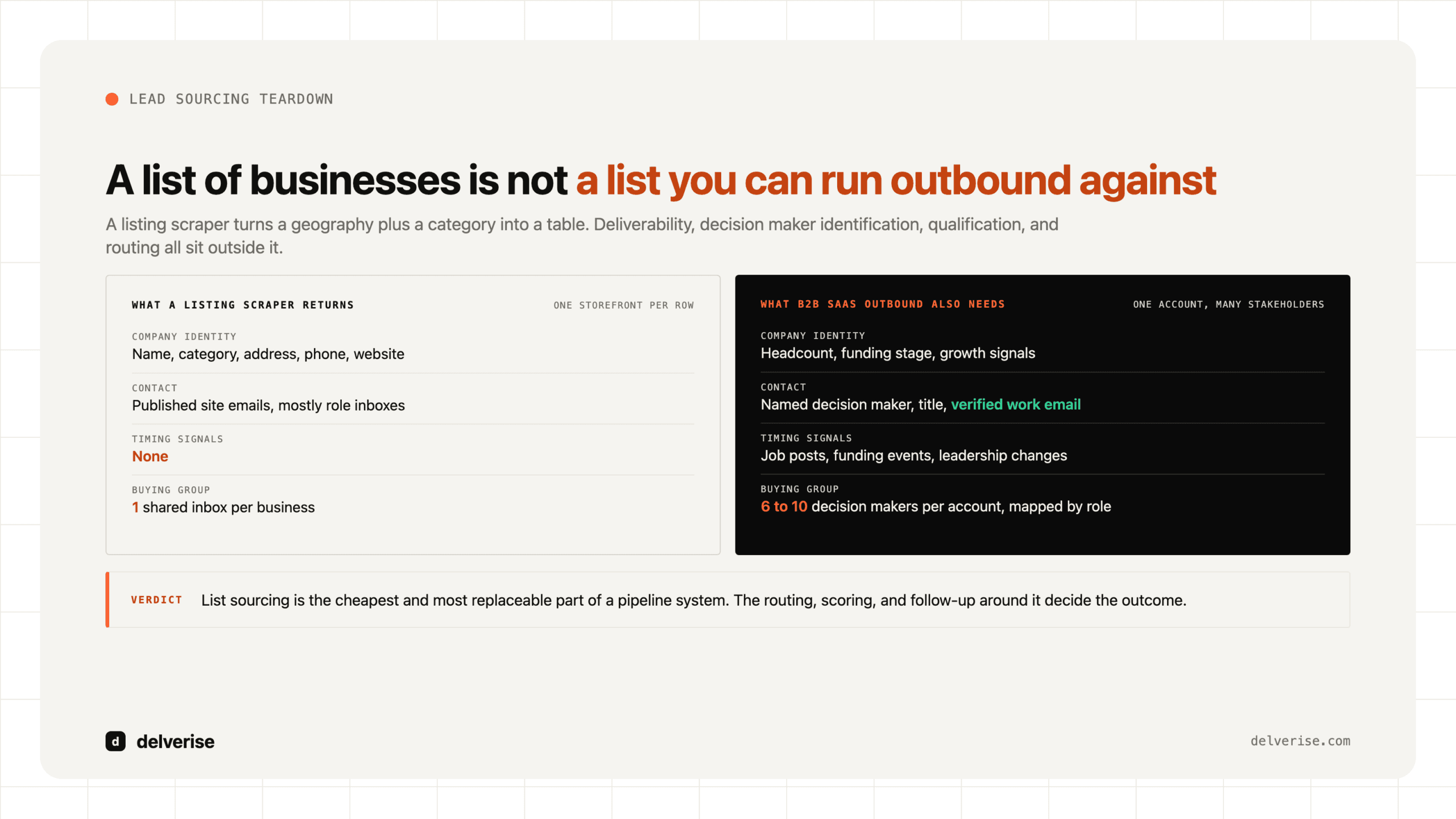
The gap between “a list of businesses” and “a list you can run outbound against” is where most teams lose the month.

| Field | What a listing scraper reliably gives you | What B2B SaaS outbound also needs |
|---|---|---|
| Company identity | Name, category, address, phone, website | Headcount, funding stage, growth signals, corporate structure |
| Contact | Published site emails, mostly role inboxes | Named decision maker, title, verified work email, LinkedIn profile |
| Fit signals | Review count, star rating, whether a site exists | Tech stack, hiring patterns, current vendors, integration surface |
| Timing signals | None | Job posts, funding events, leadership changes, product launches |
| Buying group | One shared inbox per business | Multiple stakeholders per account, mapped by role |
That last row matters more than it looks. Gartner’s research on buying groups puts a typical complex B2B purchase in the hands of six to ten decision makers, each arriving with their own information. A single info@ address cannot represent that group. The moment your deal requires more than one person to say yes, a one-contact-per-company list stops being a viable input, which is a good reason to treat contact coverage per account as a first-class metric in your outbound funnel.
Gartner has also pegged the average annual cost of poor data quality to an organization at roughly $12.9 million. Most of that is invisible in a CSV. It shows up as reps working stale records, dashboards nobody trusts, and forecasts that miss.
Does D7 Lead Finder fit a B2B SaaS ICP?
Usually no, with one clear exception.

The exception: you sell to local or SMB operators. Practice management software, field service platforms, restaurant point of sale, dental or veterinary tools, local marketing products. In those cases the listing data is your ICP data. A 4.2 star rating with 38 reviews and no booking widget on the site is a real qualification signal, and D7 Lead Finder gives you thousands of those cheaply.
The general case: you sell to Series A software companies, or to VPs of Engineering, or to RevOps leaders at 200-person firms. Those buyers do not live in local listing indexes. Their companies have no storefront, no review profile, and no address that means anything. You would be sourcing from a database that has no way to describe the attributes your ICP is defined by. The tool is working correctly, and you are asking it a question it was never built to answer. A purpose-built prospecting tool matched to your ICP shape will beat it on every metric that ends in “meetings booked.”
What does cheap list data actually cost downstream?
Run the arithmetic before you run the campaign. Here is an illustrative model using conservative assumptions you should replace with your own numbers:

- Export 5,000 local business records.
- Roughly 55 percent list any email on the site: 2,750 records with a contact.
- After verification and deduplication you keep about 2,200 deliverable addresses.
- Of those, about 1,600 are role inboxes and 600 are named individuals.
- Role inboxes reply at maybe 0.5 percent (8 replies). Named contacts reply at maybe 2 percent (12 replies).
- Twenty replies total, of which perhaps a quarter are qualified: 5 meetings from 5,000 records.
Five meetings can be a perfectly good return for a sub-$50 monthly tool, provided your ACV supports it and your team’s time is not the binding constraint. The failure mode is spending sales capacity on the 4,800 records that were never going to respond. Verification and address-quality checks are the cheapest guardrail here, and the tradeoffs in that layer are the same ones covered in our breakdown of the AI email finder category.
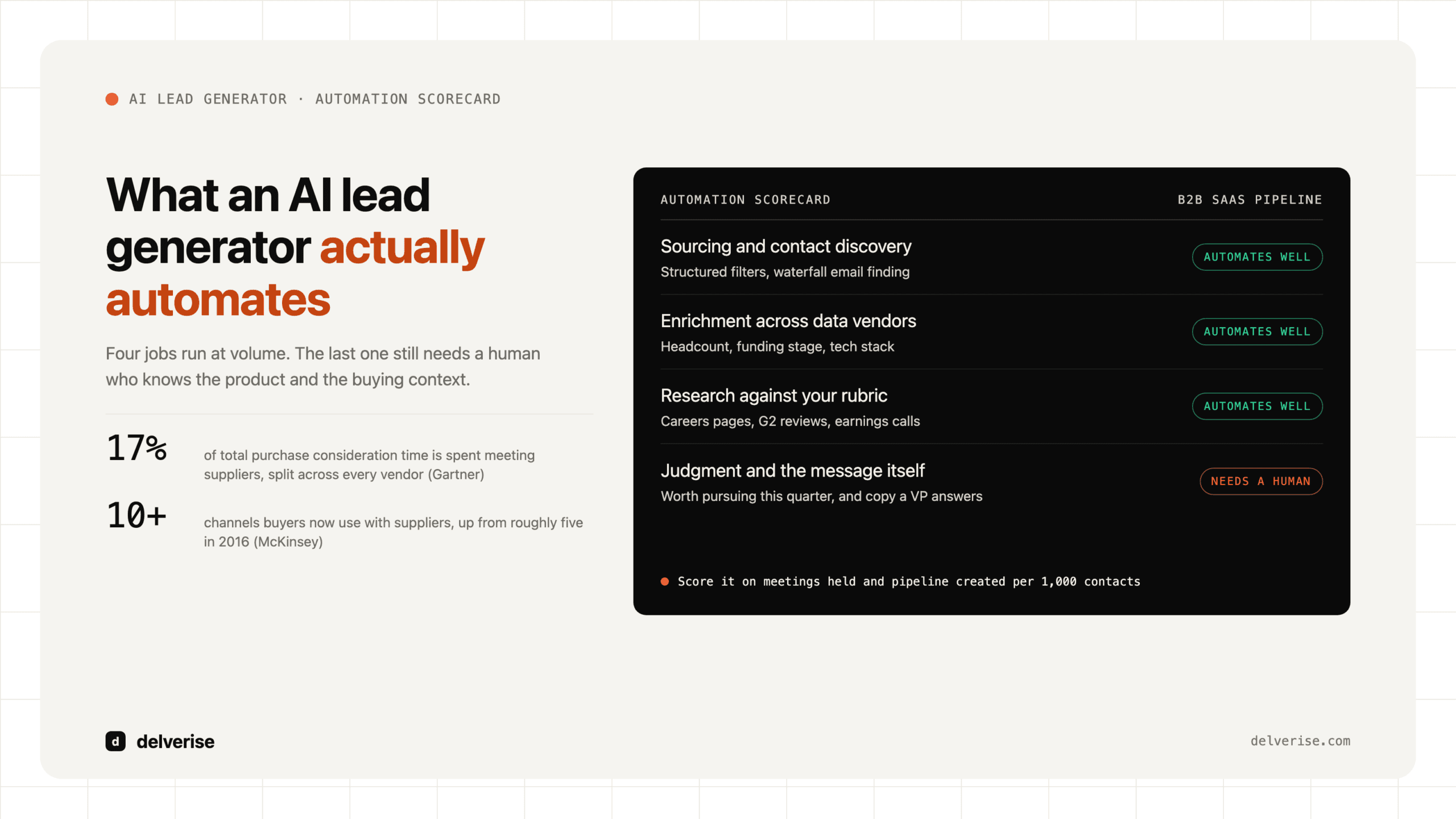
McKinsey’s work on B2B buying behavior consistently finds that buyers now move across many channels before they ever talk to a seller, and Gartner’s research found customers spend only about 17 percent of the buying journey with all potential suppliers combined. Both point the same direction: volume of addresses is a weak lever, and relevance at the moment of contact is a strong one.
How should you evaluate it before you buy?
Test the data on your actual ICP before you commit a quarter to it. Run this on a trial or the lowest tier:
- Pull 200 records for your single best-fit segment and geography.
- Measure email coverage: what percentage have any address at all?
- Measure named-contact coverage: what percentage have a person rather than a shared inbox?
- Run every address through a verification service and record the bounce-risk rate.
- Check for duplicates against your CRM before you count a single record as new.
- Score 20 records manually against your ICP definition and calculate a true fit rate.
- Price the total: subscription plus verification plus enrichment plus the hours to clean it.
- Compare that cost per qualified contact against your current sourcing method.
If fit rate lands above 40 percent and named-contact coverage is workable, it earns a place in your stack. Below that, the enrichment bill will exceed the subscription several times over, and you are better served by a database built around firmographics with an enrichment layer on top.
Where does list sourcing actually sit in a revenue system?
Sourcing is the first of six or seven steps, and it is the one most easily swapped. The steps that decide your outcome are the ones after it: how you score fit, how you decide who gets a human touch, how you route replies, how you follow up with the 95 percent who do not respond on the first pass.
Teams that treat list tools as the strategy end up rebuying the same problem every two quarters under a new logo. Teams that treat sourcing as one interchangeable component build a system where the data provider can change on a Tuesday without breaking anything downstream. That is the design principle behind how delverise builds outbound systems: define the fit criteria and the routing logic first, then plug in whichever source populates them best today. The scoring layer in particular does more work than most teams expect, which is why lead qualification deserves as much design attention as sourcing. And once contacts are in motion, the compounding returns come from nurture rather than from a bigger list.
Frequently Asked Questions
Is D7 Lead Finder worth it for a B2B SaaS company?
It is worth testing if you sell to local or SMB businesses that have physical listings, such as clinics, trades, restaurants, or home services. For SaaS companies selling to other software firms or to mid-market corporate buyers, the data model does not carry the firmographic and stakeholder attributes your targeting depends on, and a contact database plus enrichment will produce better lists for the same total spend.
What kind of email addresses does D7 Lead Finder return?
Mostly role addresses published on business websites: info@, contact@, hello@, sales@. Some records include a named individual where the business publishes one. Expect a meaningful share of records with no email at all, and plan for a verification step before any of it enters a sending tool, since scraped addresses include a higher rate of stale and catch-all inboxes than curated databases do.
Is it legal to run cold outbound to scraped listing data?
In the US, CAN-SPAM permits commercial email to business contacts provided you identify yourself accurately, include a physical address, and honor opt-outs promptly. In the EU and UK, GDPR requires a lawful basis such as legitimate interest, documented before you send, and several member states apply stricter rules to individual contacts. Have counsel review your process rather than relying on a vendor’s marketing claims.
Can it replace Apollo, Clay, or a similar platform?
They solve different problems. Apollo and comparable databases are built around company and person attributes such as headcount, title, and technology used. Clay and similar tools orchestrate enrichment across many sources and apply logic to the result. A listing scraper supplies geography-based business records. If your ICP is defined geographically, one can substitute for the others; if it is defined by firmographics, it cannot.
What should we build instead if our ICP is not local businesses?
Start with a written ICP definition that names the attributes a record must carry to be actionable, then choose a data source that natively contains those attributes, then add enrichment for what is missing, then score and route before anything reaches a sequence. The sourcing tool becomes a swappable input rather than the plan itself. Our overview of GTM engineering covers how those layers fit together.
Read next