←Back to blog
Growth & Demand GenerationGuideOctober 7, 20267 min read
LinkedIn Sales Navigator Pricing: What Each Tier Costs and What It’s Actually Worth
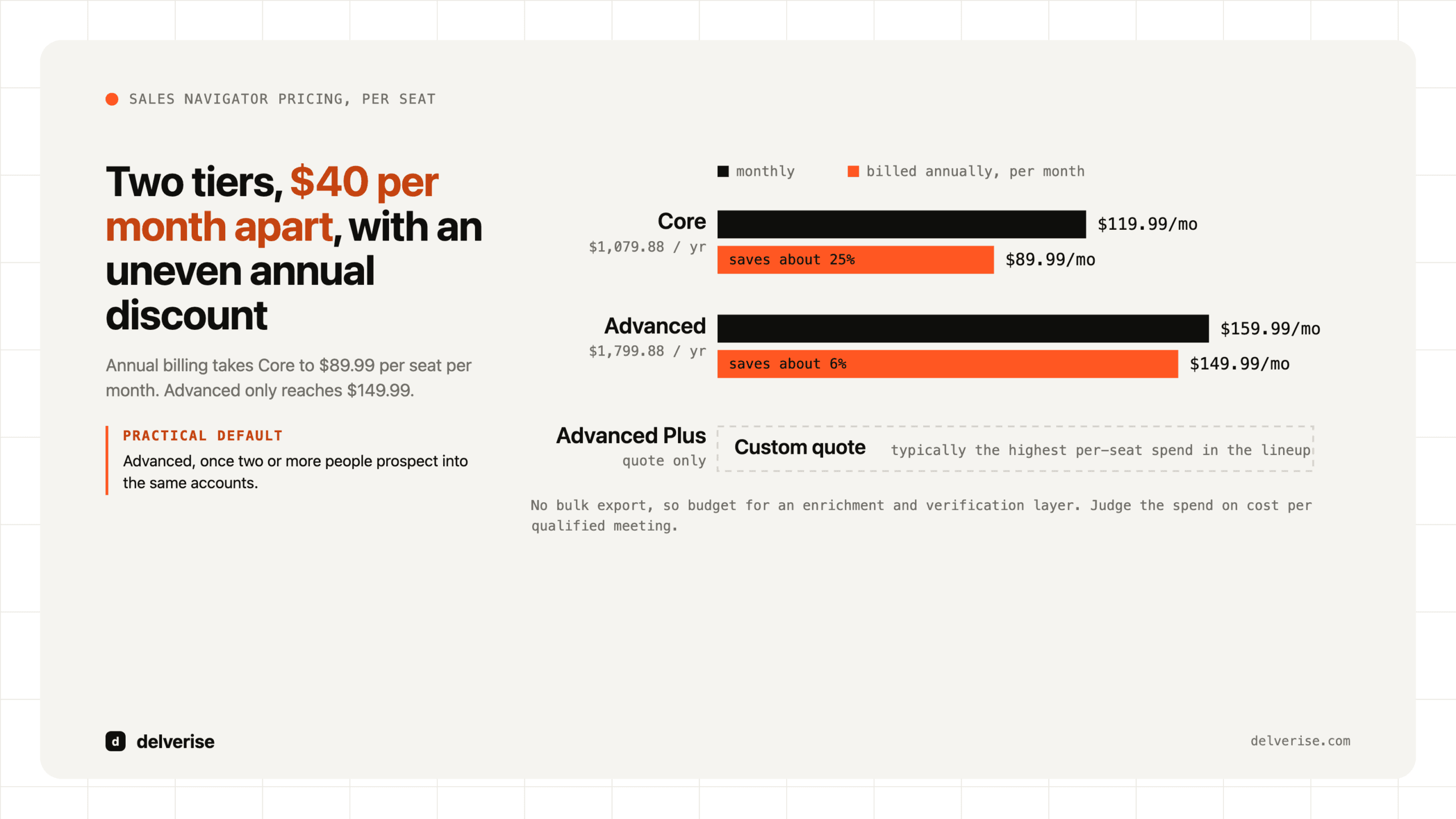
LinkedIn Sales Navigator costs $119.99 per seat per month for Core, or $1,079.88 billed annually. Advanced is $159.99 per month, or $1,799.88 annually. Advanced Plus is quote-only. For most B2B SaaS teams the license is the small number, and the surrounding data and workflow stack is the real cost.
LinkedIn Sales Navigator costs $119.99 per seat per month for Core, or $1,079.88 billed annually. Advanced is $159.99 per month, or $1,799.88 annually. Advanced Plus is quote-only. For most B2B SaaS teams the license is the small number, and the surrounding data and workflow stack is the real cost.
Key takeaways
- Three tiers: Core ($119.99/mo, $1,079.88/yr), Advanced ($159.99/mo, $1,799.88/yr), and Advanced Plus (custom quote, typically the highest per-seat spend in the lineup).
- Annual billing saves roughly 25% on Core and about 6% on Advanced. The two tiers are now only $40/month apart.
- Advanced is the practical default for a team, because TeamLink, Smart Links, and usage reporting only matter when more than one person is prospecting.
- Advanced Plus is worth evaluating only if you run Salesforce or Microsoft Dynamics and want native CRM write-back and data validation.
- Sales Navigator has no bulk export. Budget for an enrichment and verification layer, or the seats produce research instead of pipeline.
- Judge the spend on cost per qualified meeting, not on cost per seat.
What does each LinkedIn Sales Navigator plan cost?
Sales Navigator is LinkedIn’s paid prospecting product: a separate search interface on top of the LinkedIn graph, with filters, saved lead and account lists, alerts, and InMail credits that regular LinkedIn accounts do not get. It is licensed per seat, tied to an individual LinkedIn profile, and it does not transfer cleanly between people.

| Tier | Monthly | Annual (per seat) | What it adds |
|---|---|---|---|
| Core | $119.99 | $1,079.88 | Full search filters, saved lists, lead and account alerts, 50 InMail credits per month |
| Advanced | $159.99 | $1,799.88 | Everything in Core, plus TeamLink warm-intro paths, Smart Links, CSV account upload, buyer intent signals, admin and usage reporting, SSO |
| Advanced Plus | Custom quote | Custom quote | Everything in Advanced, plus CRM sync with Salesforce or Dynamics 365, data validation, ROI reporting, advanced integrations |
A detail buyers miss: the annual discount is uneven. Core saves about 25% when billed annually, Advanced saves about 6%. If your team is going to sit on Core, the annual commitment is genuinely worth it. On Advanced, the discount is thin enough that a monthly plan through a hiring ramp or a pilot quarter is a reasonable call.
Which tier should a B2B SaaS team actually buy?
For a solo founder still running their own outbound, Core does the job. You get the filters and the saved searches, and the extra $40 a month buys features designed for coordination you do not need yet.
Once you have two or more people prospecting into the same accounts, Advanced earns its price through three things. TeamLink surfaces which of your colleagues already knows someone at a target account, which is the closest thing to a warm intro engine LinkedIn sells. Smart Links let you send a tracked asset and see who opened it and for how long, which is a real qualification signal. And admin reporting tells you whether the seats are being used at all, which matters more than most leaders expect.
Advanced Plus is a different decision. The CRM sync writes Sales Navigator activity back into Salesforce or Dynamics and validates records against LinkedIn’s data, which is genuinely useful if your CRM hygiene is bad and your reps live in Salesforce. If you run HubSpot, Pipedrive, Close, or something like Twenty, most of that value evaporates, and you are better off building the sync yourself through your existing enrichment and data layer.
What is the real total cost of running Sales Navigator?
Here is the constraint that reshapes the budget: Sales Navigator has no bulk export. You cannot download a list of 500 leads with email addresses. LinkedIn’s terms prohibit scraping, and accounts get restricted for it. So the seat gives you targeting precision and nothing you can act on at volume without a second layer.

Work the numbers for a six-person team, four AEs and two SDRs, all on Advanced annual:
- Licenses: 6 seats × $1,799.88 = $10,799 per year
- Enrichment, waterfall email discovery, and verification: typically $8,000 to $20,000 per year at that volume
- Sequencing and dialing (Outreach, Salesloft, or a lighter stack): $6,000 to $18,000 per year
- Realistic all-in: $25,000 to $49,000 per year
If that stack sources 300 qualified meetings in a year, tooling costs $83 to $163 per meeting. Against a fully loaded SDR at $85,000 to $110,000 in OTE, that is cheap. Against a stack producing 40 meetings a year because nobody logs in, it is a rounding error you should still cut. The seat price was never the variable that mattered. Utilization was.
This is also why seat count deserves scrutiny before renewal. Sales Navigator seats have a habit of accumulating: someone leaves, the seat stays, and nobody notices because $150 a month does not trip any approval threshold. Pull the admin usage report before every renewal and cut anyone under a few sessions a week.
Does Sales Navigator still work, given how B2B buying has changed?
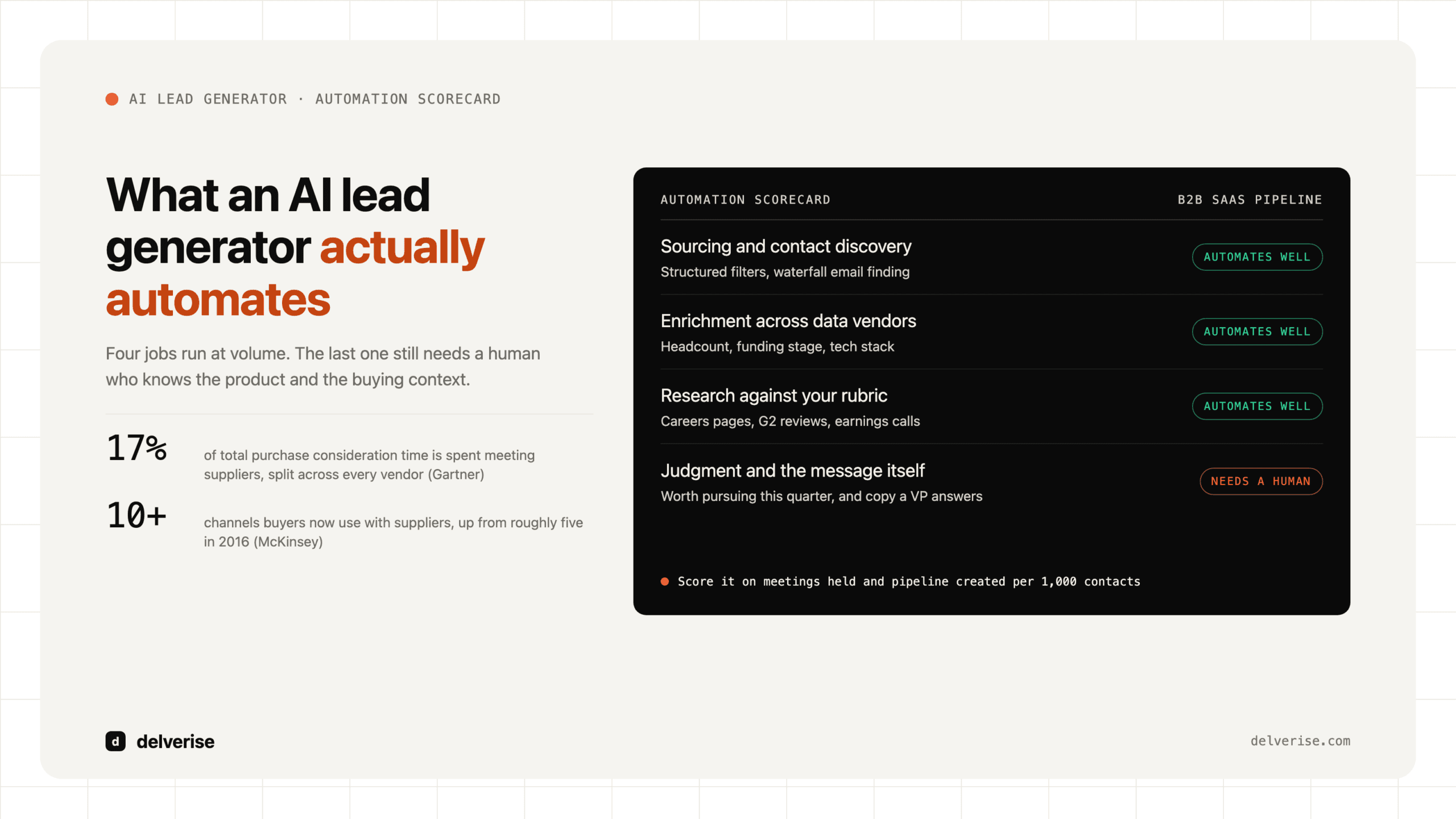
Gartner’s research on B2B buying found that buyers spend only about 17% of the total purchase journey meeting with potential suppliers, and when they are comparing several vendors, any one supplier gets roughly 5% to 6% of that time. Gartner also puts the typical buying group at six to ten decision makers. McKinsey’s work on B2B behavior found buyers now move across roughly ten channels when evaluating suppliers, up from about five a decade ago.

Read those together and the case for Sales Navigator gets sharper and narrower at the same time. Sharper, because mapping a six-to-ten-person buying committee at a named account is exactly what the product is good at, and no enrichment database matches LinkedIn for org-chart freshness. Narrower, because a tool that only produces names cannot cover ten channels or fill the 83% of the journey you are absent from. That gap is closed by the system around the seat, which is where outbound sales automation and multichannel sequencing come in.
Where does Sales Navigator lose to alternatives?
Honest tradeoffs, because the tier comparison table is the easy part:
- No contact data. Apollo and ZoomInfo hand you verified emails and phone numbers inside the same subscription. Sales Navigator does not. That difference alone can flip the total-cost math.
- Search result caps. A single search returns a bounded result set, so genuinely large TAMs have to be sliced into many narrower searches. Painful at scale.
- Data quality is self-reported. LinkedIn profiles are maintained by the person, so seniority inflation and stale titles are common. Firmographics from a dedicated provider are usually cleaner.
- Where it wins: job-change alerts, real-time org movement, TeamLink relationship paths, and intent signals from actual platform behavior. Enrichment vendors approximate this. LinkedIn owns it.
The most common pattern we see working: Sales Navigator for account and persona definition, Clay or a similar orchestration layer to enrich and waterfall from those lists, then a sequencer for execution. If you are choosing between these categories rather than stacking them, our guide to picking an AI tool for sales prospecting covers the tradeoffs, and our Clay build page covers the orchestration side.
What should you decide before you buy?
- Confirm who will use a seat daily, by name, and buy that many seats and no more
- Decide your CRM before you consider Advanced Plus, since its value depends on Salesforce or Dynamics
- Budget the enrichment and verification layer in the same line item as the licenses
- Define the ICP filter set in writing before anyone builds a list, so seats produce one target definition instead of six
- Set a cost-per-qualified-meeting number you will judge the stack against at 90 days
- Put the admin usage report on a monthly calendar reminder, not on the renewal date
Sales Navigator is a good tool with a well-defined job. It gets expensive when it becomes the whole plan. Teams that get returns from it treat it as the targeting layer inside a larger revenue system, and they build the routing, enrichment, and follow-up around it deliberately. If you are still assembling that system, start with how the pieces fit together, or look at what a single outbound SDR realistically produces before you scale the seat count.
Frequently Asked Questions
How much is LinkedIn Sales Navigator per month?
Core is $119.99 per month billed monthly, or $1,079.88 per year. Advanced is $159.99 per month, or $1,799.88 per year. Advanced Plus is sold by custom quote only and is the most expensive tier per seat.
Is there a free trial for Sales Navigator?
LinkedIn offers a one-month free trial on Core and Advanced for new subscribers, and it requires a payment method up front. Use the trial to test whether your ICP is actually findable with the filter set, since that is the single fastest way to know if the tool fits.
Can I export leads from Sales Navigator?
No bulk export exists, and scraping the platform violates LinkedIn’s terms and risks account restriction. Advanced lets you upload a CSV of accounts to match against, but the flow only runs one direction. Plan on a compliant enrichment layer to turn saved lists into contactable records.
Is Sales Navigator worth it for a small B2B SaaS team?
It is worth it when you sell into named accounts with multi-person buying committees and someone uses the seat several times a week. It is poor value for high-volume, low-ACV motions where a contact database is faster, and for teams that buy seats without a defined ICP or a downstream sequencing process.
How does Sales Navigator pricing compare to Apollo or ZoomInfo?
Apollo bundles contact data and sequencing at a lower per-seat price, and ZoomInfo carries deeper firmographic and intent data at a much higher annual contract value. Sales Navigator sits between them on price and beats both on org-chart freshness and relationship mapping, while providing no contact data at all. Most mature teams run Sales Navigator alongside one of the others rather than choosing between them.
Read next