←Back to blog
Revenue OperationsGuideAugust 19, 20268 min read
One Page CRM (OnePageCRM): What It Does and Who It Actually Fits
OnePageCRM is a lightweight sales CRM built on one rule: every contact carries a single Next Action with a due date. That turns a static database into a ranked daily to-do list. It fits founders and small, relationship-led sales teams. It strains once you need multi-touch attribution, complex routing, or product usage signals feeding the pipeline.
OnePageCRM is a lightweight sales CRM built on one rule: every contact carries a single Next Action with a due date. That turns a static database into a ranked daily to-do list. It fits founders and small, relationship-led sales teams. It strains once you need multi-touch attribution, complex routing, or product usage signals feeding the pipeline.
Key takeaways
- OnePageCRM’s differentiator is behavioral, not technical. The Next Action model forces a decision on every record, which is why follow-up discipline improves fast.
- It suits teams of roughly one to fifteen sellers running human-led, mid-ACV deals with short-to-medium cycles.
- It is thin on marketing automation, lifecycle scoring, territory routing, and native product-usage data. Those gaps get expensive around Series A.
- Most CRM failures trace to data quality and process design, so switching platforms rarely fixes a pipeline problem on its own.
- Plan your exit before you enter: field naming, activity taxonomy, and a clean company object make a later migration a two-week project instead of a two-quarter one.
What is OnePageCRM and what problem does it solve?
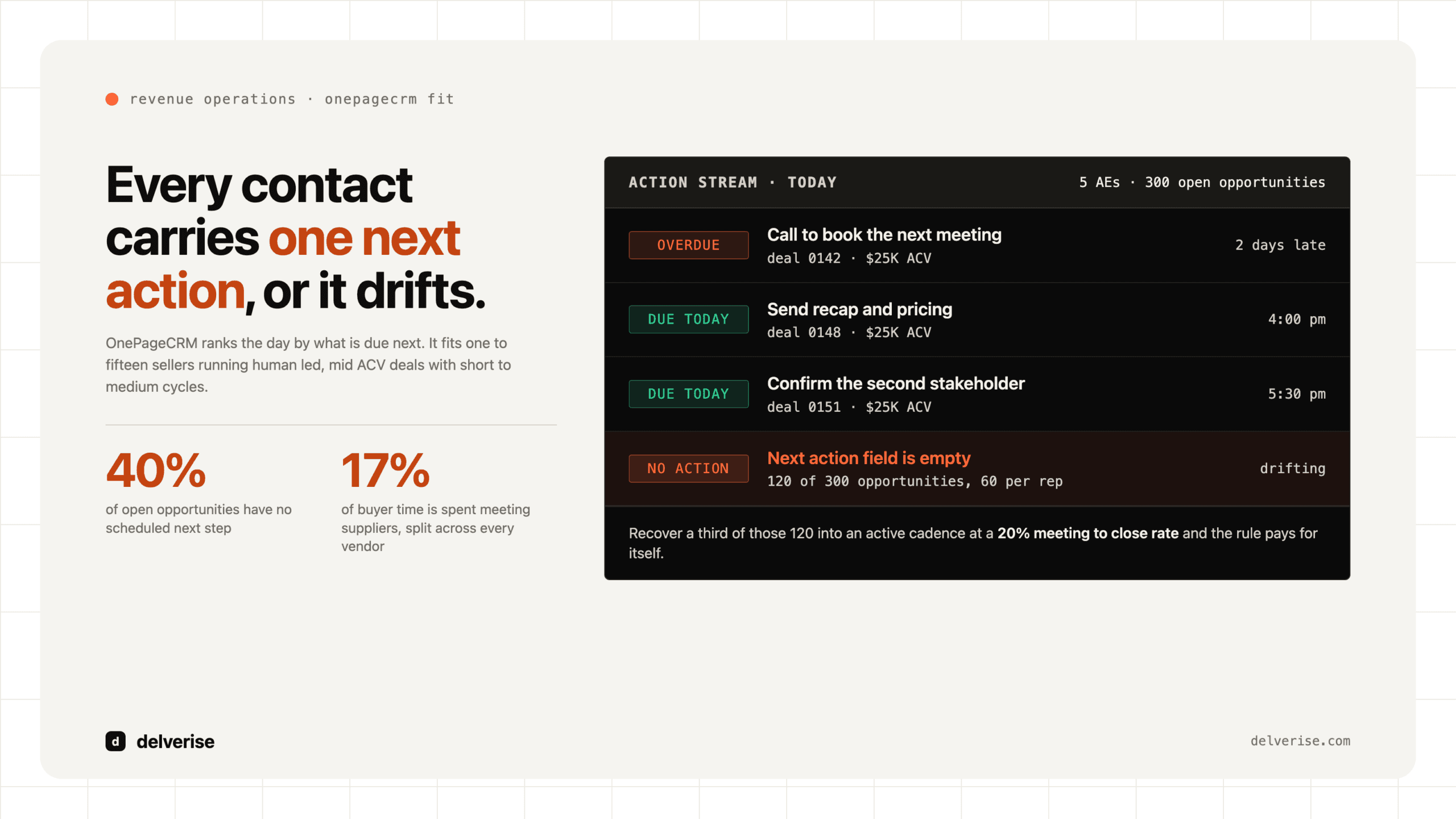
OnePageCRM is a sales-focused CRM from an Irish company that launched in 2010, built around Getting Things Done principles. The core interface is the Action Stream: a list of contacts sorted by when their next action is due, with the most urgent at the top. Close an action and the system prompts you to set the next one before the record leaves your queue.

The problem it targets is the one every revenue leader recognizes. Deals do not die from bad discovery nearly as often as they die from silence. A rep has a good call, forgets to book the follow-up, and the opportunity ages out. Traditional CRMs record that decay accurately and do nothing to prevent it. OnePageCRM makes an empty next-action field visible and slightly annoying, which is enough to change behavior.
Around that core it adds the expected features for a small sales team: pipeline and Kanban deal views, email sync with Gmail and Outlook, a click-to-call speed dialer, a browser extension for capturing leads from LinkedIn and company sites, mobile apps with business card scanning, and integrations through Zapier and a public API. Reviewers on G2 consistently score it high on ease of setup and ease of use within the small-business CRM category, which matches what it optimizes for.
Does the Next Action model actually change results?
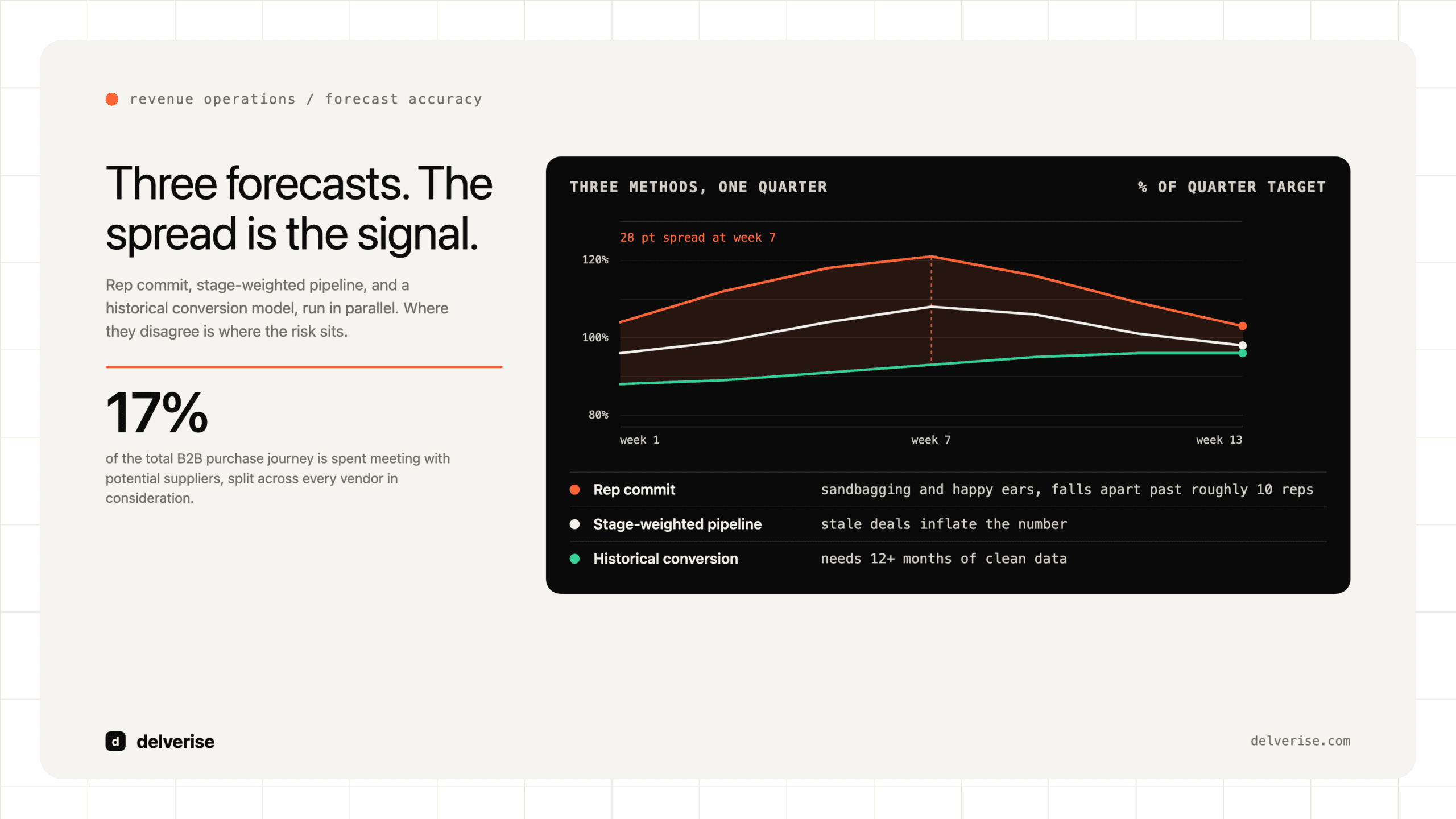
It changes the metric that most small teams are worst at: follow-up density per open opportunity. Gartner’s research on the B2B buying journey found that buyers spend only about 17% of their total purchase time meeting with potential suppliers, and that slice gets divided across every vendor in the deal. Your realistic share of buyer attention is small, so consistency of contact matters more than eloquence in any single touch.

Here is the arithmetic, using an illustrative team rather than a client story. Five AEs each carry 60 open opportunities. Audit the CRM and 40% have no scheduled next step, which is a common finding in teams without enforced hygiene. That is 120 opportunities drifting. If historical data says a scheduled follow-up doubles the odds of reaching a next meeting, and your baseline meeting-to-close rate is 20% at a $25K ACV, recovering even a third of those drifting deals into an active cadence is meaningful pipeline for the cost of a process rule.
The honest caveat: the Next Action model works because a human keeps typing next actions. It is a discipline aid, and discipline aids decay when headcount grows and nobody owns enforcement. The systems version of the same outcome is automated follow-up sequencing with routing and SLA alerts, which we cover in depth in our guide to lead follow up for B2B SaaS teams.
Where does OnePageCRM fit in a B2B SaaS revenue stack?
It fits at the stage where one system of record beats five specialized ones. Pre-seed through early seed, with a founder plus one or two sellers, the binding constraint is whether anyone is actually working the list. A simple CRM that people open every morning outperforms a powerful one they avoid.

It stops fitting when any of these become true:
- Marketing needs lifecycle stages, scoring, and campaign attribution in the same object model as sales.
- You run product-led motions and need in-app usage events to trigger sales plays.
- You have inbound volume requiring round-robin routing, territory rules, or SDR-to-AE handoff logic.
- The board wants cohort-level pipeline conversion, velocity, and forecast accuracy without a spreadsheet layer.
- You have more than one revenue motion running at once, each with its own definitions.
McKinsey’s B2B Pulse research has documented buyers using ten or more channels across a purchase journey, up from roughly five a decade earlier. A CRM that only records seller-initiated activity gives you an incomplete picture of that journey, which is why enrichment and signal capture usually get solved outside the CRM and pushed in. Our CRM enrichment approach treats the CRM as the destination for clean data, with the resolution work happening upstream.
How does OnePageCRM compare to the alternatives?
| Platform | Core model | Best fit | Main limitation |
|---|---|---|---|
| OnePageCRM | Contact-first with a mandatory next action | 1 to 15 sellers, human-led deals, low admin tolerance | Light on automation, scoring, and marketing alignment |
| Pipedrive | Deal-first, visual pipeline stages | Small to mid teams that think in stages, not contacts | Reporting depth and data model rigidity at scale |
| HubSpot Sales Hub | Unified contact, company, and deal objects with marketing built in | Seed to Series B teams aligning sales and marketing | Cost escalation as contact tiers and seats grow |
| Salesforce | Configurable platform with an object and permission model | Series B and beyond, multiple motions and geographies | Requires dedicated ops ownership to stay usable |
| Attio / Folk | Flexible relational database with CRM opinions | Teams that want to model an unusual motion themselves | You build the process; the tool has fewer defaults |
OnePageCRM sits at the affordable end on a per-seat basis, which matters less than most buyers assume. Seat cost is rarely the expensive part of a CRM decision. The expensive part is the migration you run eighteen months later and the reporting you cannot produce in the meantime.
What should you check before you buy any CRM at this stage?
- Write down the three reports your board will ask for in twelve months, then confirm the tool can produce them without exports
- Define your company object rules now: how you handle subsidiaries, duplicate domains, and unknown-account inbound
- Confirm the API and webhook coverage for every object you will need to sync, not only contacts
- Test the export path before you import anything, including custom fields and activity history
- Name one person accountable for data definitions, even at ten employees
- Agree on a single source of truth for revenue numbers between billing, CRM, and the board deck
That last point does more work than the tool choice. Gartner has estimated that poor data quality costs organizations an average of $12.9 million per year across their operations. At Seed stage the absolute number is smaller, and the proportional damage is worse, because early forecasts drive hiring decisions you cannot easily reverse.
When should you migrate off, and how painful is it?
The clearest trigger is when your GTM team splits into specialized roles. Once you have SDRs, AEs, and someone owning lifecycle marketing, the CRM has to arbitrate handoffs, and a contact-first tool with no routing engine becomes the constraint. We break down that transition in our guides to GTM team structure and GTM operations ownership.
Migration difficulty depends almost entirely on decisions you made on day one. A clean migration means consistent company records, an activity taxonomy that maps to your new stages, and no business logic living in field names or free-text notes. A painful migration means 4,000 contacts with no company association, six variations of “Demo Booked,” and a pipeline number nobody can reconstruct. The tool did not cause that. The absence of an owner did.
Practical sequencing that works: freeze new field creation, export and audit, map old stages to new stages in a spreadsheet everyone signs off on, migrate closed-won and open deals first, archive the rest, then rebuild reporting before you rebuild automation. Expect two to four weeks of real work for a team under twenty people, plus a parallel-run period where both systems stay readable.
What does a systems approach look like instead?
The CRM is one component. The parts that determine whether pipeline compounds sit around it: how leads get captured and enriched, how they get routed, what triggers a sequence, how signals from intent and product usage reach a seller, and what gets measured. Teams that treat the CRM as the whole system end up rebuying a CRM every eighteen months. Teams that treat it as the record layer in a designed revenue architecture change tools with far less disruption.
If you are evaluating the layers that sit above a simple CRM, our guides to lead nurturing software and lead intelligence platforms cover what to buy, what to build, and what to skip. For how those pieces get assembled into one working system, see our work in GTM engineering.
Frequently Asked Questions
Is OnePageCRM good for B2B SaaS?
It works well for early-stage B2B SaaS with a founder-led or small AE-led motion and deal cycles under about 90 days. It fits less well for product-led companies, high-volume inbound, or any team where marketing and sales need shared lifecycle definitions in one object model. The ceiling usually arrives somewhere between Seed and Series A.
How is OnePageCRM different from Pipedrive?
Pipedrive organizes work around deals moving through stages. OnePageCRM organizes work around contacts, each carrying one dated next action. If your team thinks in terms of “what stage is this deal in,” Pipedrive matches that mental model. If your team’s failure mode is losing track of people between deals, OnePageCRM’s model addresses it more directly.
Does OnePageCRM handle email sequences and automation?
It supports email sync, templates, bulk send, and basic automation around action creation. It is not built to run sophisticated multi-branch nurture programs or behavior-triggered campaigns. Teams needing that typically pair it with a dedicated sequencing tool or move to a platform where sales and marketing automation share the same database.
What happens to my data if I outgrow it?
Standard objects export cleanly, and the API covers the main record types. The risk sits in your own data hygiene rather than the platform’s export capability. Contacts without company associations, inconsistent stage names, and business context buried in notes are what make migrations slow. Audit those quarterly and the eventual move stays manageable.
Should we buy a CRM before we have repeatable sales?
Yes, with a caveat. Buy something cheap and simple, and spend your effort on definitions rather than configuration. Decide what counts as a qualified opportunity, what each stage means, and who owns the data. Those decisions carry forward to every system you buy afterward. The software will change; the definitions should not have to.
Read next