←Back to blog
Revenue Intelligence & Data ToolingGuideAugust 18, 20268 min read
Salesloft Salesforce Integration: What Actually Syncs, Where It Breaks, and How to Architect It
The Salesloft Salesforce integration is a bidirectional sync between a sales engagement platform and your CRM. Salesforce pushes Leads, Contacts, Accounts, and Opportunities into Salesloft; Salesloft writes calls, emails, and cadence activity back as Salesforce records. Configured well, you get one trustworthy activity history per buyer. Configured badly, you get duplicate people and reporting nobody believes.
The Salesloft Salesforce integration is a bidirectional sync between a sales engagement platform and your CRM. Salesforce pushes Leads, Contacts, Accounts, and Opportunities into Salesloft; Salesloft writes calls, emails, and cadence activity back as Salesforce records. Configured well, you get one trustworthy activity history per buyer. Configured badly, you get duplicate people and reporting nobody believes.
Key takeaways
- The integration is a data architecture decision before it is a technical setup. Decide what each system owns first.
- Salesforce should stay the system of record for identity, ownership, and revenue objects. Salesloft owns engagement state.
- Most failures trace to three things: the Lead versus Contact question, activity logging volume, and opt-out data that only travels one way.
- Logging every email as a Salesforce Task feels thorough and quietly ruins activity reporting and API headroom.
- Enrichment belongs upstream of both systems, so reps work off complete records instead of patching them mid-cadence.
- Expect two to four weeks for a clean implementation on an established Salesforce org, most of it spent on field mapping and dedupe rules.
What does the Salesloft Salesforce integration actually do?
Four things, and it helps to separate them because they fail independently.

Record import. Salesloft pulls Leads and Contacts into its People object, along with linked Accounts and Opportunities. Import rules control which records qualify, usually driven by a Salesforce view, field value, or campaign membership.
Field mapping. Each field gets a direction: Salesforce to Salesloft, Salesloft to Salesforce, or two-way. This is where most of the real design work lives, and where most teams accept the defaults and regret it.
Activity write-back. Calls, emails, and completed cadence steps post to Salesforce, typically as Task records tied to the Lead or Contact and, where possible, an Account or Opportunity. Call recordings and conversation intelligence links ride along on those records.
Automation triggers. Salesloft automation rules can watch Salesforce field changes and add people to cadences, or push status changes back when a rep books a meeting or marks someone unresponsive.
Salesloft Connect, the browser extension, sits on top of all of this so reps can act inside Gmail or the Salesforce UI. It is a convenience layer, and it does not compensate for a bad sync configuration underneath.
What should sync in each direction?
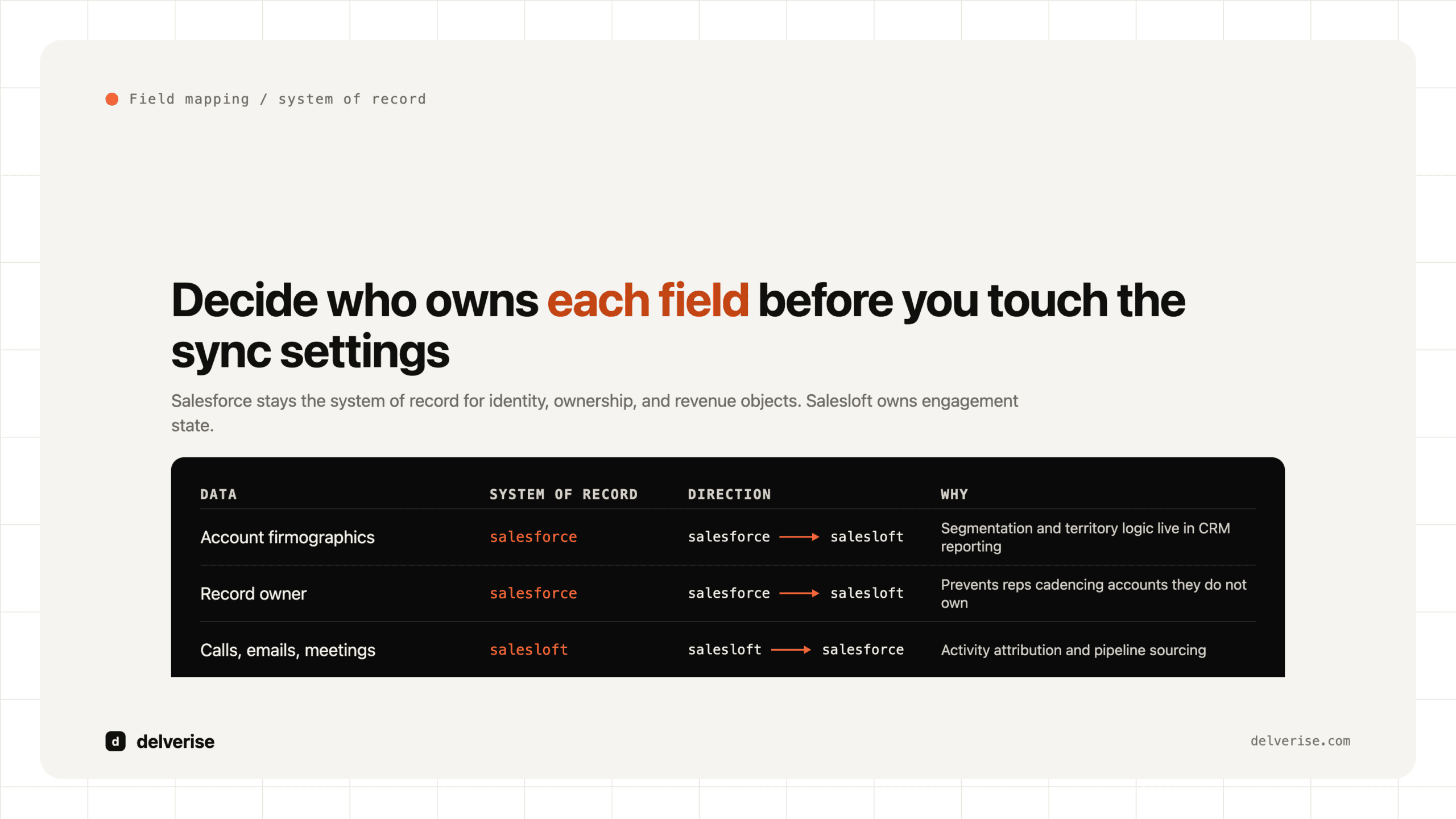
Assign an owner to every field before you touch the sync settings. The default posture that works for most Seed to Series B teams:

| Data | System of record | Direction | Why |
|---|---|---|---|
| Account firmographics | Salesforce | Salesforce to Salesloft | Segmentation and territory logic live in CRM reporting |
| Person identity, title, account link | Salesforce | Salesforce to Salesloft | One canonical version of who someone is |
| Record owner | Salesforce | Salesforce to Salesloft | Prevents reps cadencing accounts they do not own |
| Email and direct dial | Enrichment layer | Two-way with write rules | Reps find better numbers; those should flow back, but only into designated fields |
| Cadence membership and step status | Salesloft | Salesloft to Salesforce | Lets CRM reports answer “who is in active sequence” |
| Calls, emails, meetings | Salesloft | Salesloft to Salesforce | Activity attribution and pipeline sourcing |
| Opt-out and do not contact | Salesforce | Strictly two-way | Compliance exposure if either system misses a suppression |
| Opportunity stage and amount | Salesforce | Salesforce to Salesloft | Salesloft should read deal state, never author it |
The opt-out row is the one to get right on day one. If a prospect unsubscribes from a Salesloft email and that suppression never reaches the Salesforce Contact, your marketing automation platform will email them next week. That is a compliance problem with a data plumbing cause.
Where does the integration usually break?
The Lead versus Contact question. Salesforce’s dual object model is the single largest source of Salesloft duplicates. A prospect enters as a Lead, gets cadenced, converts to a Contact, and Salesloft now has two person records with overlapping activity. Decide early whether Salesloft imports Leads, Contacts, or both, and build a conversion process that keeps the Salesloft person record attached to the surviving object. Teams that skip this spend quarter three untangling activity history that is split across two IDs.

Task volume. Every automated email logged as a Task inflates your Salesforce activity tables, distorts any report that counts touches, and consumes API calls against a daily org limit. A hundred-thousand-record cadence engine can generate more Salesforce writes than the rest of your business combined. The better pattern is logging replies, calls, and meetings as Tasks, and summarizing bulk email activity into engagement fields on the person record.
Silent sync errors. Validation rules, required fields, and picklist mismatches cause individual records to fail sync without anyone noticing. Nobody notices because Salesloft keeps working and Salesforce keeps looking normal. Someone needs to own the error log with a weekly review, which is a standing responsibility inside GTM operations, not a launch task.
Attribution to the wrong object. When a Task lands on a Contact with no Account or Opportunity link, it disappears from every pipeline influence report you will ever build. Gartner has estimated poor data quality costs organizations roughly $12.9 million a year on average, and this is the small, unglamorous version of that: activity data that exists but cannot be joined to revenue.
Cadence auto-add loops. An automation rule that adds people to a cadence on a Salesforce field change, combined with a Salesforce flow that resets that field, will cadence the same person repeatedly. Test every rule against a sandbox with real record volume before enabling it.
How do you set it up so pipeline reporting holds up?
Work backwards from the questions your board asks. If the question is “which sequences produce qualified pipeline,” then Salesloft cadence data has to be joinable to Salesforce Opportunity data, which means every activity carries an Account ID and every Opportunity carries a first-touch source.
A worked example. An inbound demo request hits Salesforce as a Lead. Enrichment fills firmographics and confirms the direct dial. A Salesforce field flips to “MQL,” which triggers a Salesloft automation rule adding the person to a five-day inbound cadence owned by the assigned AE. The rep calls within eleven minutes; the call logs as a Task on the Lead with a recording link. The prospect books; the Lead converts; the Salesloft person record follows the Contact, and the Task history moves with it. The resulting Opportunity carries the cadence name in a source field. Three months later you can report on close rate by cadence with no manual stitching.
Every step in that chain is a configuration choice someone made deliberately. Speed matters at the front of it: Harvard Business Review’s well-known lead response research found firms that responded within an hour were dramatically more likely to have a meaningful qualifying conversation than those that waited longer, which is the whole argument for automating the trigger rather than relying on a rep to check a view. We go deeper on that mechanic in our guide to lead follow up in B2B SaaS.
Your pre-launch gate:
- Field ownership documented for every synced field, with direction
- Lead versus Contact import policy decided and conversion tested
- Opt-out sync verified in both directions with a live test record
- Task logging scoped to meaningful activity, with volume estimated against API limits
- Every automation rule tested in sandbox for loop conditions
- Sync error log assigned to a named owner with a weekly cadence
- One reporting question chosen as the acceptance test, and answerable end to end
Should you enrich before or after the sync?
Before, almost always. Reps patching missing phone numbers mid-cadence is the most expensive form of data entry in your company, and Gartner’s B2B buying research found buyers spend only about 17% of their total purchase time meeting with potential suppliers across all vendors. That sliver of attention is too scarce to spend on records that were incomplete at import.
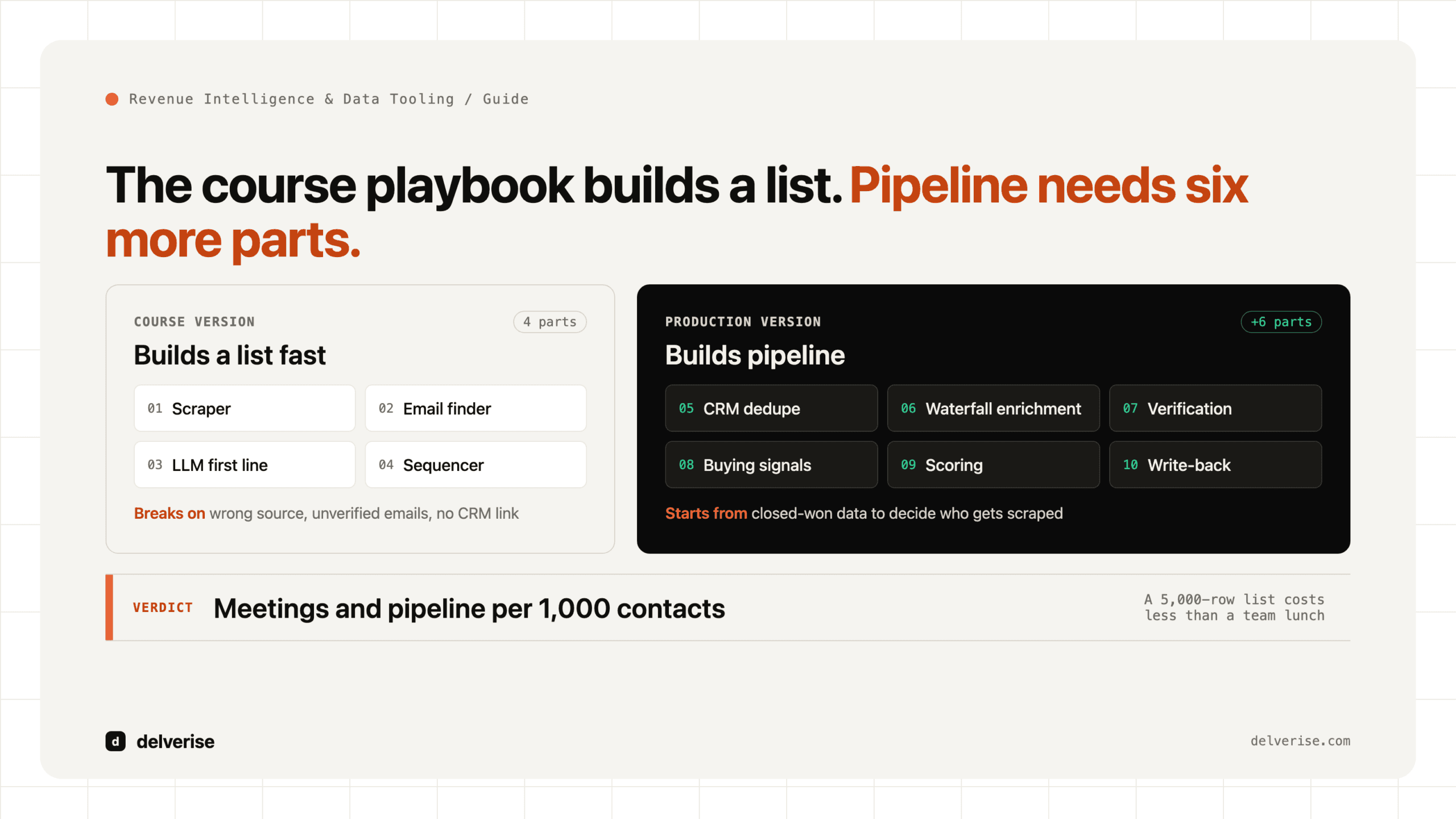
The pattern that works: an enrichment layer sits upstream, resolves company and contact data across multiple providers, writes clean records to Salesforce, and Salesloft imports from there. Clay is the tool most teams reach for here because it can chain providers and apply conditional logic before anything touches the CRM, which is the same logic behind a data enrichment waterfall. The honest tradeoff: it adds a system to maintain, and it is overkill if your list volume is low and your data source is already reliable. delverise builds these layers as part of CRM enrichment work, and our Clay partner page covers what implementation involves.
Whatever you use, the principle holds: the CRM should receive complete records, and the engagement platform should read them. If you are still evaluating the category, our overview of what a lead intelligence platform does covers where these tools overlap.
Frequently Asked Questions
Is the Salesloft Salesforce integration bidirectional?
Yes, and it is configurable per field. You choose whether each field syncs from Salesforce to Salesloft, from Salesloft to Salesforce, or both ways. Two-way sync on a field with no clear owner produces overwrite conflicts, so restrict it to fields where both systems legitimately generate new information, such as phone numbers reps discover on calls.
Does Salesloft create duplicate records in Salesforce?
It can, most often through the Lead-to-Contact conversion path or when import rules pull the same person in from two Salesforce views. Salesloft dedupes on email address by default, which fails when someone appears with both a work and a personal address. Set your import scope narrowly and audit for duplicates monthly during the first quarter.
Should we log every Salesloft email as a Salesforce task?
For most teams, no. Log replies, calls, and meetings as Tasks, and roll bulk automated sends into engagement summary fields on the person record. This keeps activity reports meaningful and protects your Salesforce API allocation, which heavy cadence volume can exhaust faster than teams expect.
Do we need middleware between Salesloft and Salesforce?
The native package handles the sync itself. Middleware earns its place when you need enrichment, deduplication, or routing logic that neither system does well, or when you are joining engagement data to product usage in a warehouse for analysis. Add it for a defined job, and skip it if the native mapping already answers your reporting questions.
How long does a clean implementation take?
Two to four weeks for an established Salesforce org, and most of that time goes to field mapping decisions, dedupe rules, and testing automation in sandbox rather than the connection itself. A greenfield org can be live in days. The variable is the state of your existing Salesforce data, not the integration.
Read next