←Back to blog
Revenue Intelligence & Data ToolingGuideAugust 17, 20268 min read
What Is a Prospecting List? How B2B Revenue Teams Build One That Converts
A prospecting list is a defined set of accounts and named contacts your revenue team has decided to pursue, enriched with the data needed to reach and qualify them. Good ones encode a buying hypothesis: who fits, why now, and which signal justifies the outreach. Bad ones are just exported rows.
A prospecting list is a defined set of accounts and named contacts your revenue team has decided to pursue, enriched with the data needed to reach and qualify them. Good ones encode a buying hypothesis: who fits, why now, and which signal justifies the outreach. Bad ones are just exported rows.
Key takeaways
- A prospecting list has three layers: account fit, buying group coverage, and timing context. Most teams build only the first.
- Filter criteria should come from what your closed-won accounts have in common, not from whichever dropdowns your data tool happens to offer.
- Contact data decays continuously. A list without a refresh owner and cadence is a depreciating asset from the day it is exported.
- Gartner’s research on B2B buying puts typical buying groups at six to ten stakeholders, so one contact per account structurally underbuilds the list.
- Measure list quality upstream (bounce rate, ICP match on booked meetings) before you blame the copy or the reps.
What is a prospecting list, exactly?
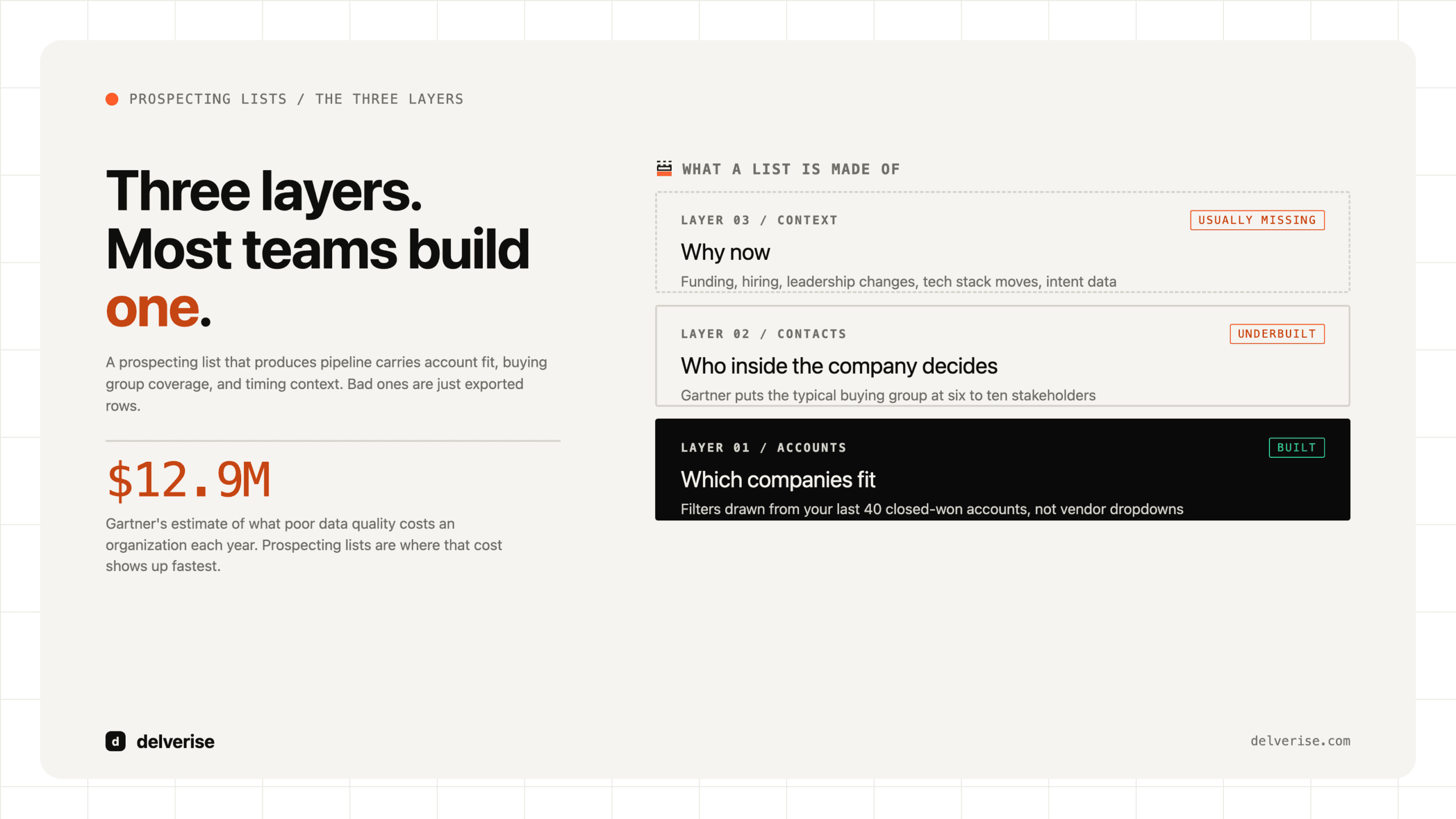
Most people use the term to mean a spreadsheet of names and emails. That definition is why so many lists disappoint. A list that produces pipeline carries three distinct layers.

The account layer answers which companies fit. Firmographics (industry, headcount, revenue, geography) get you started, but the useful filters are usually technographic or behavioral: they run a specific billing system, they just opened a second office, they have four open roles on the RevOps team.
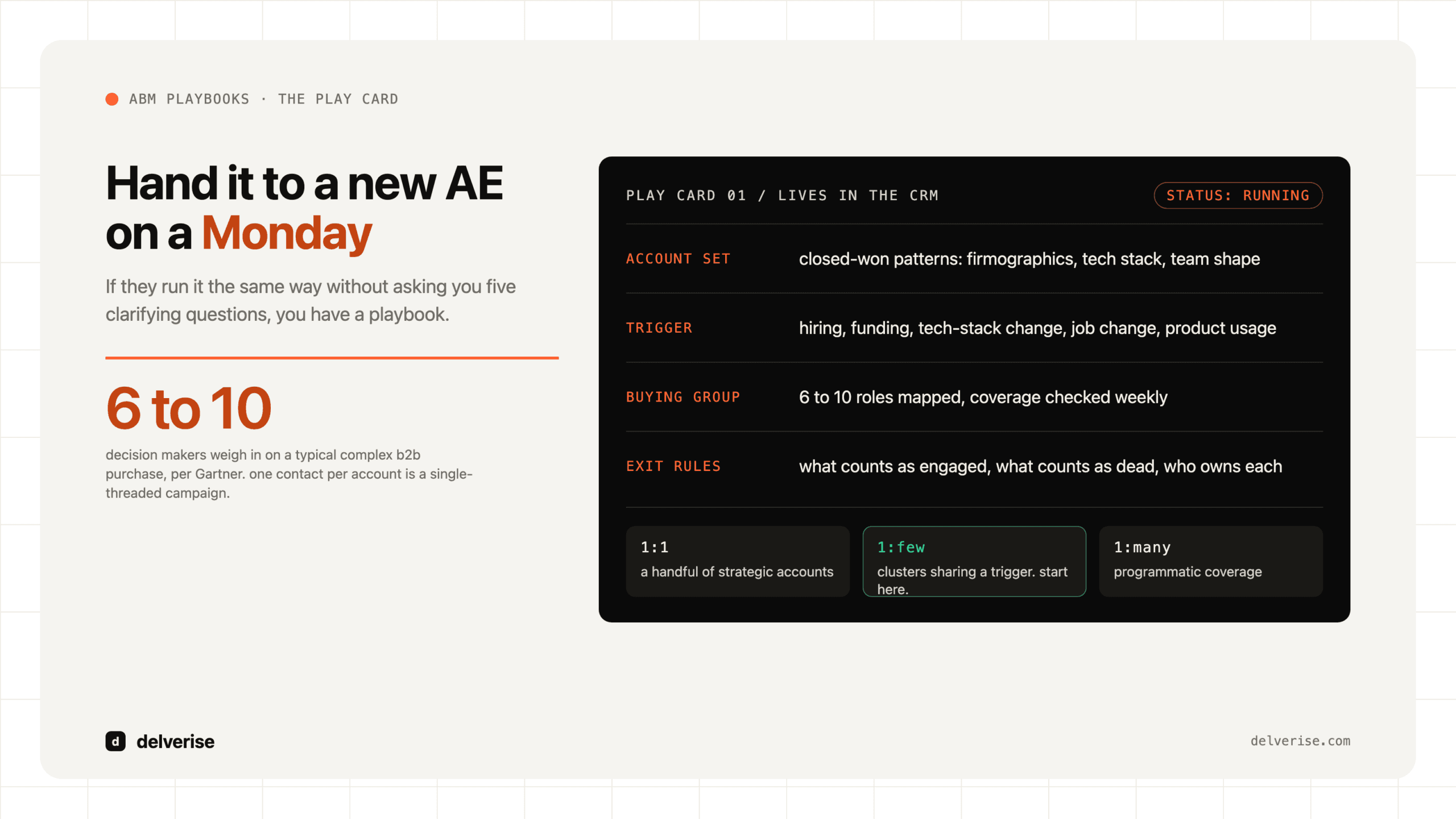
The contact layer answers who inside that company matters. Gartner’s work on complex B2B purchases puts the typical buying group at six to ten stakeholders. Building one contact per account guarantees you are talking to a fraction of the people who decide.
The context layer answers why now. This is a timing signal, a documented trigger event that makes the account worth contacting this month instead of next quarter. Funding, hiring, leadership changes, tech stack moves, and intent data all qualify. If you want a structured way to see this across a whole market, our writeup on building a leads map covers how to turn scattered account data into something you can actually work.
Why do most prospecting lists underperform?
Four failure modes account for most of it.

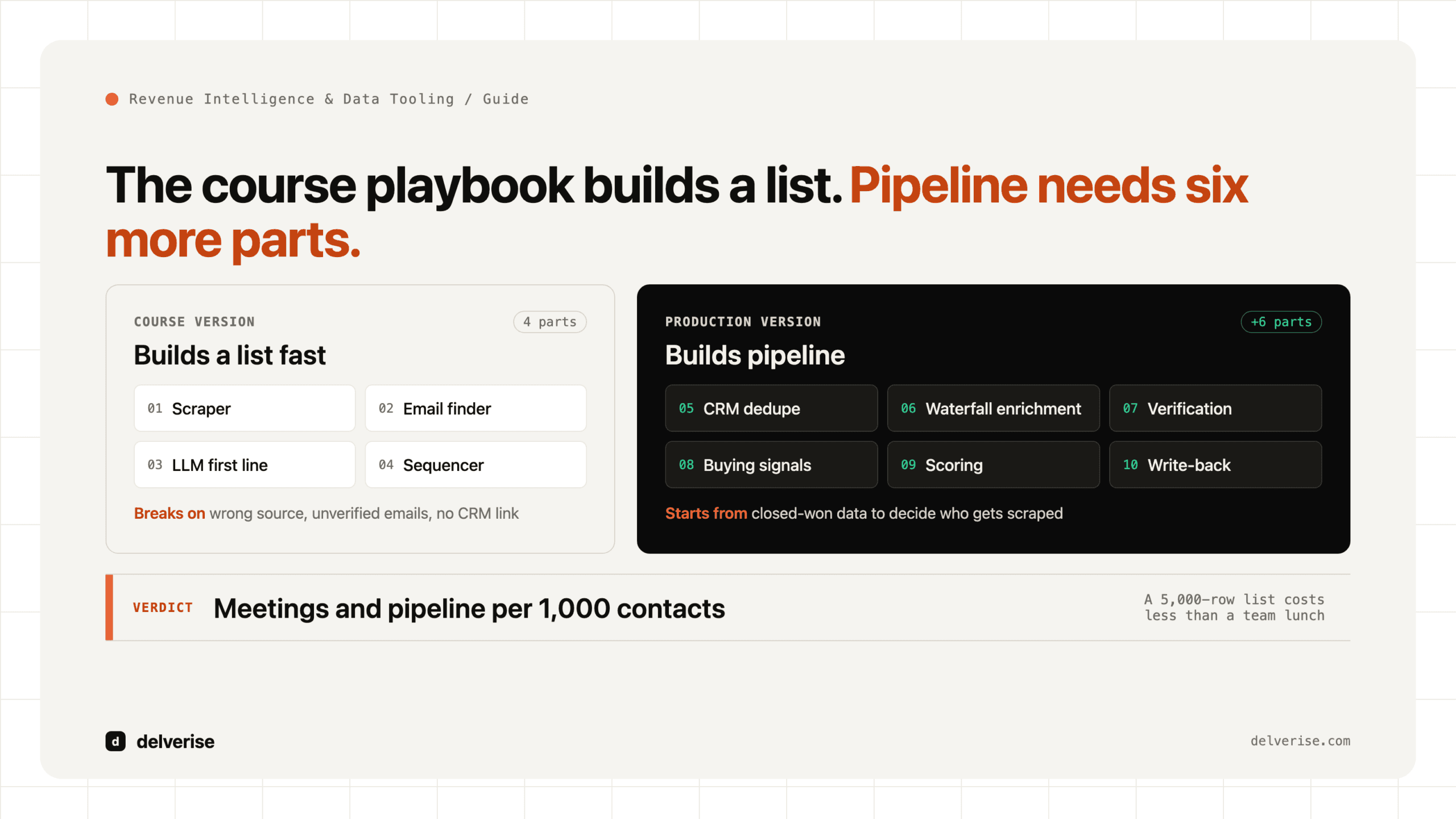
Fit is defined by tooling, not by evidence. Teams open a database, pick the filters that exist, and export 5,000 rows. The result is a list of companies that are easy to describe rather than likely to buy. The fix is unglamorous: pull your last 40 closed-won accounts, find the attributes they share that your losses do not, and build filters from that.
The data is single-sourced. Every provider has coverage gaps, and they are not the same gaps. Relying on one vendor means you inherit its blind spots wholesale. Chaining providers in sequence, where each one only gets asked for the records the previous one missed, raises coverage and lowers cost at the same time. We break the mechanics down in the data enrichment waterfall.
Nobody owns decay. People change jobs, companies get acquired, domains change. Gartner has estimated that poor data quality costs organizations an average of $12.9 million a year, and prospecting lists are where that cost shows up fastest, as bounce rates, wasted rep hours, and damaged sending reputation.
The outreach window is misjudged. Gartner’s buyer research found that B2B buyers spend only about 17% of their purchase journey meeting with potential suppliers, split across every vendor in consideration. McKinsey’s B2B Pulse work found buyers now move across roughly ten channels in a single journey. Your list is competing for a narrow slice of attention, which is exactly why the context layer matters more than list size.
Should you buy a list, build one, or trigger one?
Three approaches, each with real tradeoffs.
| Approach | What you actually get | Best for | Honest downside |
|---|---|---|---|
| Database export (Apollo, ZoomInfo, Sales Navigator) | Broad coverage fast, standard firmographics, variable email accuracy by segment | Establishing a baseline, testing a new segment, high-volume top of funnel | Everyone in your category exports the same rows. No timing layer. Accuracy drops sharply outside US mid-market. |
| Manual research | High precision, deep context, defensible reasoning per account | Named-account ABM, enterprise, deals above roughly $75k ACV | Does not scale past a few hundred accounts. Cost per record is high and quality varies by researcher. |
| Signal-triggered composite | Accounts entering the list only when a trigger fires, enriched across multiple providers | Teams with a defined ICP and someone who can own the workflow | Requires build time and an operator. Overkill if your total addressable market is under a few hundred accounts. |
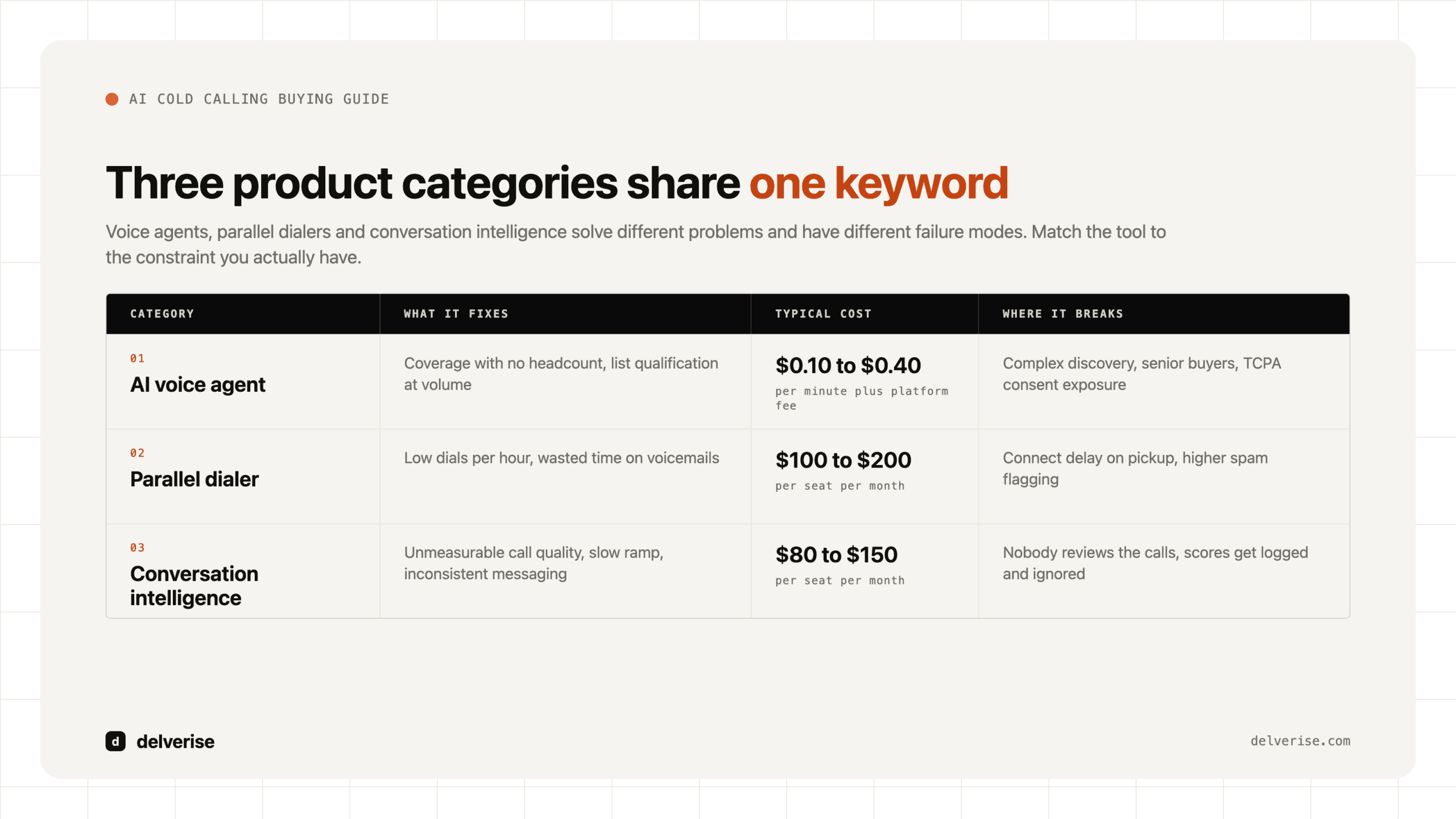
Buying a database license is fine as a component. Treating it as the strategy is where teams stall. If you are comparing platforms at this layer, our Apollo.io guide and the broader AI prospecting tools buyer’s guide cover where each category holds up.
What does a well-built list look like in practice?
Here is the arithmetic for a Series A SaaS selling a $28k ACV product to operations leaders at logistics companies.

Start with 6,400 companies matching the broad firmographic screen. Apply evidence-based filters drawn from closed-won analysis: 50 to 400 employees, running a specific TMS, at least one warehouse or ops role posted in the last 90 days. That cuts to 740 accounts. Layer a timing signal (new VP of Operations, funding event, or a job posting mentioning the incumbent tool) and 190 accounts are live this quarter.
Now build the contact layer: four roles per account, the economic buyer, the operational owner, the technical evaluator, and one influencer. That is 760 contacts. Run a waterfall enrichment across three providers and verification, and roughly 690 come back with a deliverable email, with maybe 400 also carrying a mobile number.
The team now works 190 accounts with real coverage instead of 6,400 rows with one guessed email each. Same budget, different shape. At a 6% meeting rate on well-targeted multithreaded accounts, that is around 11 meetings, and every one of them is inside ICP.
Which tools actually do this work?
The account and signal layers usually live in a workflow tool rather than a database. Clay is the common choice here because it can chain multiple data providers per record, run conditional logic, and push clean output into your CRM without an engineer in the loop. It is genuinely good at this, and it is also credit-metered, which means a poorly designed table can burn budget quickly. It needs an owner who understands the underlying data question. Teams that hand it to a rep as a side project rarely get value out of it. If you want the build handled properly, delverise works as a Clay solutions partner and documents that scope on our Clay page.
Verification belongs as a separate step regardless of tooling. Sending to unverified records is the single fastest way to damage domain reputation, and no amount of copy quality recovers from a 12% bounce rate.
How do you know the list is working?
Diagnose upstream before you touch messaging. Run this check monthly:
- Hard bounce rate under 3% across all sends
- At least 80% of booked meetings match your written ICP definition
- Average of three or more contacts engaged per opportunity account
- Every account carries a documented reason it entered the list this quarter
- A named owner and a refresh cadence exist, with records over 90 days old re-verified
- Suppression logic covers current customers, open opportunities, and recent no-replies
If bounces are high, the problem is enrichment. If meetings are off-ICP, the problem is your filters. If meetings happen but stall, the problem is the buying group, and you are talking to someone without budget authority. Each of those has a different fix, and copy rewrites solve none of them. Getting clear on who owns which layer is a structural question, covered in our piece on GTM operations.
Where this fits in the wider revenue system
A prospecting list is an input to a system that also includes routing, sequencing, CRM hygiene, and attribution. Improving the list while the downstream system leaks produces better-qualified people who still fall through cracks. Most teams get the highest return by fixing the list and the handoff together, which is the shape of work we do in GTM engineering: one connected pipeline from signal to closed-won, owned end to end rather than split across four tools nobody maintains.
Frequently Asked Questions
How many contacts should a prospecting list have?
Coverage matters more than volume. For mid-market B2B SaaS, 150 to 300 well-qualified accounts with three to five mapped contacts each will outproduce a 10,000-row export in almost every test we have seen. Size the list to what your team can actually work with real personalization in a quarter.
Is buying a prospecting list a bad idea?
Purchased data is a reasonable raw input and a poor finished product. Use it for coverage, then verify it, enrich it across a second and third source, and add your own fit and timing logic on top. The problem with bought lists is that they arrive identical to what your competitors bought, with no reasoning attached.
How often should a prospecting list be refreshed?
Re-verify contact records at 90 days, and re-score account fit quarterly. Signal-driven segments need faster cycles, often weekly, since the value of a trigger like a leadership change decays within about 30 days. Assign this to a named owner or it silently stops happening.
What is the difference between a prospecting list and a lead list?
A prospecting list is built outbound: you selected these accounts based on fit and timing. A lead list is usually inbound, made up of people who raised a hand. They need different treatment, different speed, and different qualification logic. Blending them into one queue tends to slow inbound follow-up, which is where most of the recoverable revenue sits.
Do we need a dedicated tool, or can we do this in a spreadsheet?
Spreadsheets work up to roughly 200 accounts and one person. Past that, manual enrichment and refresh consume more time than the list returns. The trigger for tooling is usually the second person joining the motion, or the first time you need the same list logic to run monthly without someone remembering to do it. A lead intelligence platform becomes worth evaluating at that point.
Read next